
TaskNest — SaaS Product Landing Website
A clean SaaS landing website with features, how it works, monthly plans, FAQ cards and a request-a-demo form
Everything included
- Hero, feature cards, how it works and FAQ on the home page
- Features page grouped by theme, with inline icons
- Three monthly plan cards, marked as sample pricing
- FAQ cards on the home and pricing pages
- Request-a-demo form with team size, date and time
- SoftwareApplication schema, titles and meta descriptions
- WhatsApp and click-to-call on every page
- Admin panel for your details, currency, chat and enquiries
From order to a live website
- 1
Choose a package
Code only, We set it up, or Customised. All prices are one-time.
- 2
Pay securely
Your download link is emailed once payment is confirmed and also appears in My Account.
- 3
We contact you
For setup packages we email within one business day for your cPanel / hosting login and domain.
- 4
Live on your domain
Your product site runs on your own hosting, with demo requests arriving in your inbox.
A landing site that explains the product
Visitors want to know what your product does, how quickly they can start, what it costs and whether their questions are answered. TaskNest covers each in order, with a Request a demo button on every screen.
- Hero with a clear one-line promise
- Feature cards with icons
- Four-step how it works
- Plans and FAQ cards
Honest by default
The demo product is fictional and the pricing page says so. There are no fake screenshots, user counts, logos of customers or star ratings to remove. Feature cards use inline icons and team photos, ready for your real product screenshots.
- Sample pricing notice on the plans
- No made-up customer logos or numbers
- Icon cards instead of fake UI
- SoftwareApplication schema without ratings
Demo requests straight to your inbox
The demo form asks for team size, a date and a time, plus a notes box for what the team does today. The request arrives by email and you reply with a meeting link. It does not create accounts or sync with a calendar.
- Request-a-demo form
- Team size drop-down
- Notes for current tools and needs
- Spam trap and input checks
Who it is for
TaskNest suits a founder or small team launching a web app, a B2B tool or a subscription service who needs a clean marketing site before, or alongside, the product itself. The demo is written around a fictional task manager for small teams, so every heading, card and plan is an example of the kind of copy a software product needs, ready to be rewritten for yours. It also works for agencies who build products for clients and want a quick, honest landing site to hand over.
- Early-stage software products
- Internal tools being offered to outside teams
- Agencies launching a client's app
- Products that sell through demos and calls
The pages, one by one
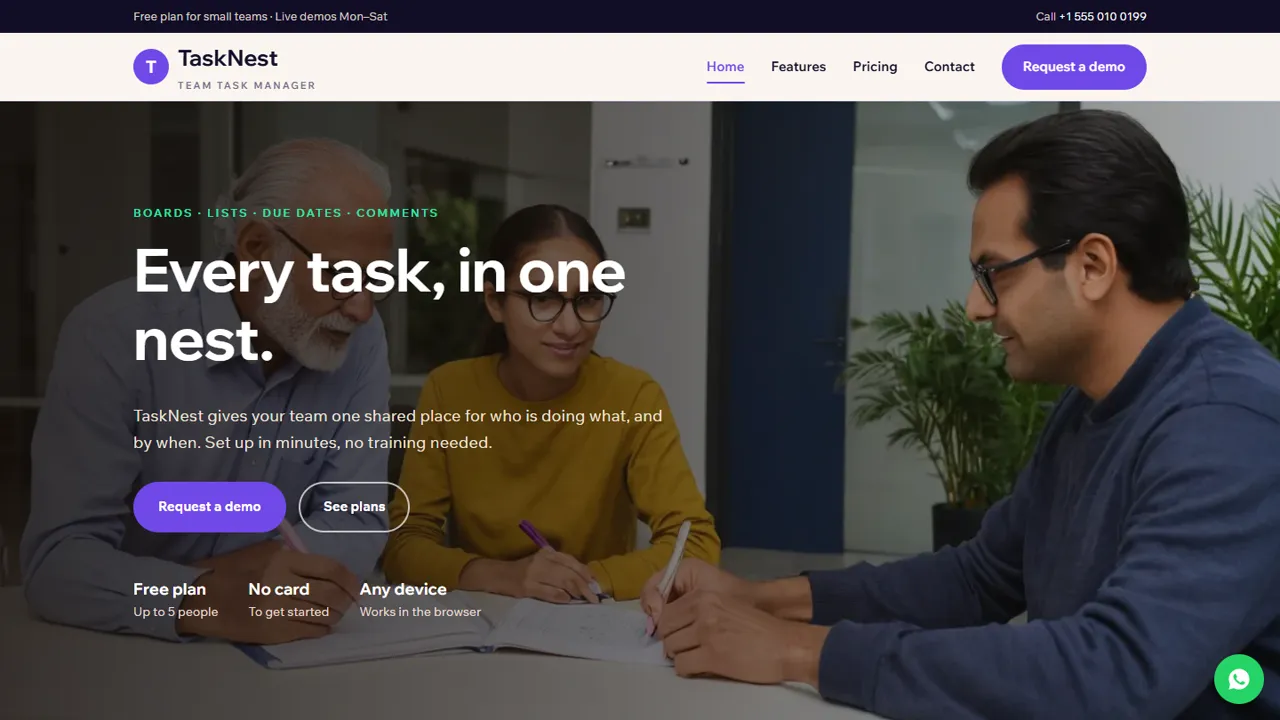
The home page opens with a one-line promise and three quick facts, then four feature cards, a 'why' block with a photo, a four-step how-it-works strip, a 'for teams like yours' block, three FAQ cards and a closing demo call-out. The features page groups the product into Plan, Focus, Collaborate, Track and Admin, each with icon cards or a short list beside a photo, so you can describe your own product in the same order. The pricing page shows three plan cards (a free tier, a most-popular middle plan and a business plan) with the sample-pricing notice above them, a tax and billing line, and six FAQ cards. The demo page holds the request form and a list of what the call covers. Contact has a map, the address, hours and a message form, and a 404 page catches broken links.
- Home, Features, Pricing & FAQ, Request a demo, Contact and 404
- Three plan cards with a highlighted middle plan
- Six FAQ cards on pricing, three on the home page
- WhatsApp button with a ready-written demo message
Your admin panel for leads and settings
Every demo request and contact message is emailed to the address in config.php and also saved in the admin's Enquiries inbox at /admin/, where you can read the team size, preferred date and time and notes, and download the list as CSV to load into your CRM. In the admin you also set the company name, logo, phone, WhatsApp, email, address, map, support hours, social links and brand colours, show an announcement bar for a launch or a new feature, add Tawk.to, Crisp or Tidio live chat for pre-sales questions, and connect Google Analytics 4, Tag Manager or the Meta Pixel to measure campaigns. If your plan prices are written in one currency, you can switch on others with your own rates and visitors get a currency switcher. SEO defaults, a cookie notice and maintenance mode have their own screens.
- Demo requests in your inbox and in the admin
- CSV export of leads
- Analytics and pixel set without editing code
- Maintenance mode while you write your copy
What is in the zip and what it needs
The download holds six HTML pages, the stylesheet and JavaScript, the PHP form handler and admin panel, photos, an .htaccess file, a README and an installation guide. It runs on any cPanel or shared hosting with PHP 7.4 or later, with no WordPress, Node.js or database server to set up. Set your email in config.php, open /admin/ to create your login, paste your licence key and send a test demo request. The README points to the plan cards, FAQ blocks, team-size options and the SoftwareApplication schema, whose name and price range you update to your real plans.
- Plain HTML you can edit in any editor
- Inline icons, no icon font to load
- Schema price range to update
- Optional setup on your hosting
Limits to know about
This is a marketing site, not the product. It has no sign-up, login for your users, trial accounts, subscription billing or online payment, and the demo form does not connect to a calendar or send a meeting link by itself: you reply to each request. The features, plans and prices shown are samples for a fictional product and must be replaced before launch.
- No user accounts or billing
- No calendar integration
- Replace all sample features and plans
More ready-made websites
Built by the same team, with the same setup service and support.
Browse every ready-made website, or compare our custom website packages if you need a site designed from scratch. Want more guests to find you on Google Maps? See our local SEO service, or talk to our web design team.



