
FitBuddy — Mobile App Landing Website
A bright mobile app landing website with features, how it works, sample reviews, store buttons and help pages
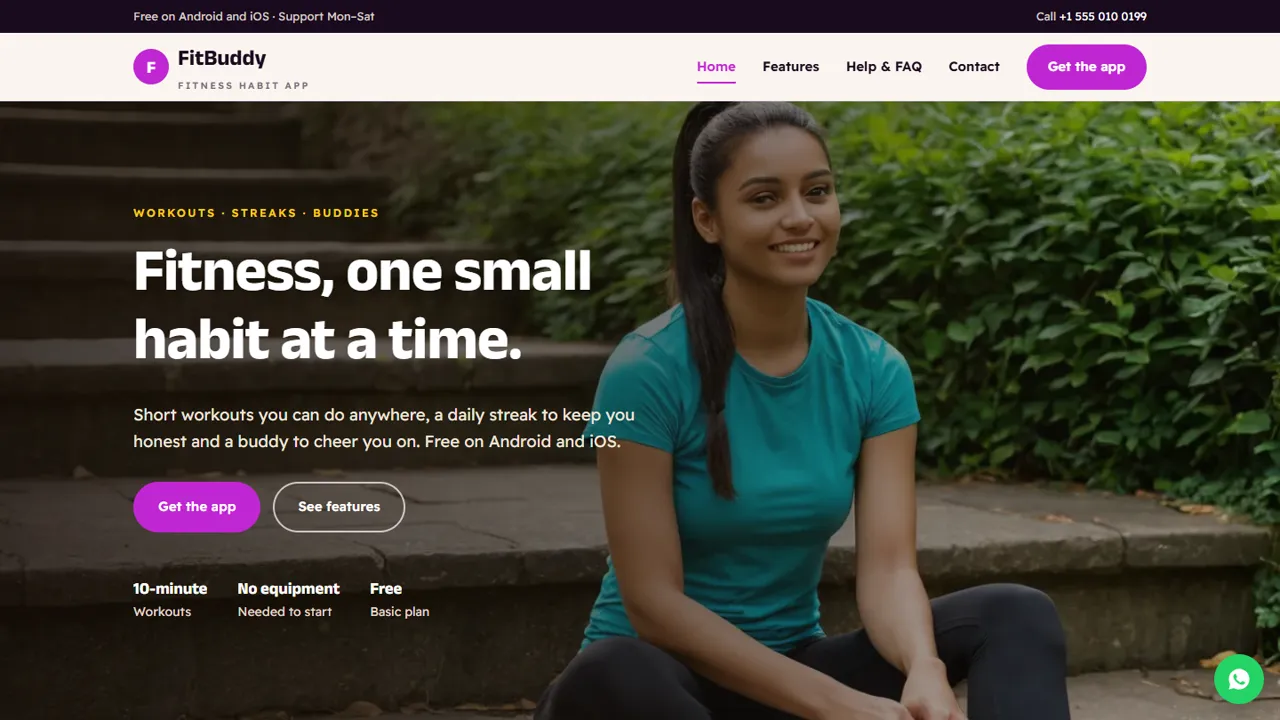
Everything included
- Hero, features, how it works and download section on the home page
- Features page grouped by theme, with inline icons
- Placeholder App Store and Google Play buttons for your links
- Sample reviews section, clearly marked to replace
- Help & FAQ page and contact form to your inbox
- MobileApplication schema, titles and meta descriptions
- WhatsApp and click-to-call on every page
- Admin panel for your details, currency, chat and enquiries
From order to a live website
- 1
Choose a package
Code only, We set it up, or Customised. All prices are one-time.
- 2
Pay securely
Your download link is emailed once payment is confirmed and also appears in My Account.
- 3
We contact you
For setup packages we email within one business day for your cPanel / hosting login and domain.
- 4
Live on your domain
Your app's website runs on your own hosting, with contact messages arriving in your inbox.
Everything an app page needs
People landing on an app website want to know what it does, how to start, whether it works on their phone and where to download it. FitBuddy answers each in order, with a Get the app button on every screen.
- Hero with a clear one-line promise
- Feature cards with icons
- Four-step how it works
- Download page with requirements
Honest placeholders
The demo app is fictional. Store buttons are plain placeholder buttons for your own links, not official badges, and the reviews are labelled sample text for you to replace with real reviews or remove. There are no fake download counts or star ratings.
- Placeholder store buttons, marked in the code
- Sample reviews clearly labelled
- No made-up download numbers or ratings
- General-information notice for fitness apps
Support that is easy to find
A help page answers common questions about phones, offline use, data, subscriptions and deleting an account, and lists the ways to reach you. The contact form sends messages straight to your inbox.
- FAQ cards with icons
- Support options block
- Contact form to your inbox
- Spam trap and input checks
Page by page: what a visitor finds
The home page carries the promise and the proof: a hero with Get the app and See features buttons, four short feature cards, a four-step strip from download to keeping the streak, a section on doing it with a buddy, the labelled sample reviews and a closing download block. The features page goes deeper, grouped under moving, habits, doing it together and data privacy, so a visitor can see whether the app fits before installing it. The download page has one button per store, the minimum Android and iOS versions, the space needed, whether it works offline and four first-week steps. The help page answers six common questions in cards and lists the three ways to reach support. The contact page has your address, phone, WhatsApp, email, support hours and a message form.
- Home, features, download, help & FAQ and contact pages
- Requirements block for Android, iPhone and internet
- Get the app button in the header on every page
- Friendly 404 page
Made for your own app, not just a fitness one
FitBuddy is only the example. The page layout works for any consumer app: a budgeting app, a learning app, a delivery app or a community app. You rewrite the feature cards, the how-it-works steps and the FAQ in plain HTML, put your own screenshots in assets/img/ and paste your real store links into the two placeholder buttons. If your app is not about health, delete the general-information notice. The home page includes Organization and MobileApplication schema markup with a free offer, which you edit to match your app's name, platforms and price.
- Rewrite cards and steps in plain HTML
- Swap screenshots by file name
- MobileApplication schema to edit
- Colours and fonts in one CSS block
The admin panel for an app team
Open /admin/ to set your app or company name, logo, support phone, WhatsApp number, email, address and support hours, and they replace the demo details on every page. Questions sent through the contact form are emailed to you and kept in the Enquiries inbox with a CSV download, which helps when several people share support. You can add Tawk.to, Crisp or Tidio live chat, the floating WhatsApp button, Google Analytics 4, Tag Manager or the Meta Pixel to measure launch campaigns, show an announcement bar for a new release, and use maintenance mode while you prepare a relaunch.
- Support details set once, shown everywhere
- Enquiries inbox with CSV download
- Announcement bar for release news
- Analytics and Meta Pixel from the admin
What is in the zip, setup and limits
The zip holds the HTML pages, CSS, JavaScript, the PHP form handler and admin core, the demo images, an .htaccess file, a README and an illustrated installation guide. Upload it to any cPanel or shared hosting with PHP 7.4 or later, create your admin login, paste your licence key and send a test message. SQLite is built in, so there is no database to create. The site does not sell subscriptions or take payments, does not show live store ratings or download counts, and does not sign users in to your app.
- No payments or subscriptions on the website
- No live store ratings or download counts
- No app sign-in or user accounts
More ready-made websites
Built by the same team, with the same setup service and support.
Browse every ready-made website, or compare our custom website packages if you need a site designed from scratch. Want more guests to find you on Google Maps? See our local SEO service, or talk to our web design team.



