
CodeForge — IT Company & Software Services Website
A modern IT company website with services, tech stack, engagement models, careers with CV upload and discovery-call booking
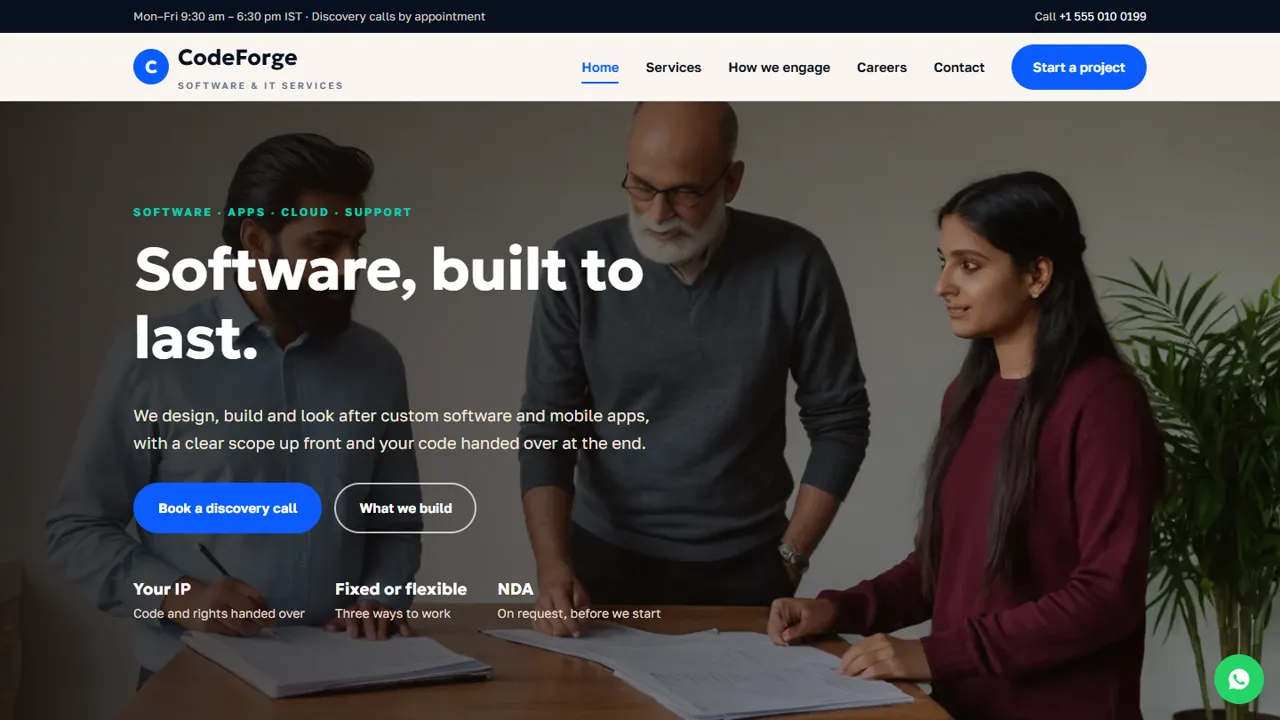
Everything included
- Services page for software, mobile apps, cloud and support
- Tech stack section without third-party logos
- Three engagement models with indicative starting prices
- Careers page with sample openings and CV upload (emailed, not stored)
- Discovery call booking form with date and time
- Home, services, engagement, careers, enquiry and contact pages
- ProfessionalService schema, titles and meta descriptions
- Admin panel for your details, currency, chat and enquiries
From order to a live website
- 1
Choose a package
Code only, We set it up, or Customised. All prices are one-time.
- 2
Pay securely
Your download link is emailed once payment is confirmed and also appears in My Account.
- 3
We contact you
For setup packages we email within one business day for your cPanel / hosting login and domain.
- 4
Live on your domain
Your company site runs on your own hosting, with discovery calls and CVs arriving in your inbox.
Answers buyers look for
Before contacting a software company, people want to know what you build, which technology you use, how you work and roughly what it costs. CodeForge puts each answer on its own page, with a Start a project button on every screen.
- Home page with services, stack and process
- Services page with what each service includes
- Engagement models with indicative prices
- FAQ cards on code ownership, NDAs and takeovers
Hiring built in
The careers page lists open roles as simple blocks you edit, shows what working with you is like, and has a CV form. The CV is attached to the email sent to you and is never stored on the server. A clear note tells candidates you never charge a fee.
- Sample openings, clearly marked to replace
- CV upload: PDF, JPG or PNG up to 5 MB
- Role chosen from a drop-down
- No-fee notice for candidates
Discovery calls straight to your inbox
The enquiry form asks what the project is about, a date and a time for a call, and a notes box for the idea, deadline and budget. You confirm by email. It does not sync with a calendar or take a deposit.
- Discovery call booking form
- Project types grouped by need
- Notes for scope and budget
- Spam trap and input checks
Page by page, what a prospect reads
The home page opens with your four core services (custom software, mobile apps, cloud and DevOps, support and maintenance), then a tech stack grid split into web front end, back end and APIs, mobile, data, cloud and DevOps, and quality, and a four-step process from discovery through design, build and test to launch and support. The services page gives each of the four services its own section explaining what you build and how you look after it. The engagement page compares a fixed-scope project, a dedicated team and time and material, each with an indicative starting price and a note that prices are confirmed in a written proposal, and then lists what every engagement includes: kick-off, two-week sprints with a demo, quality checks with code review and a staging link, and a handover of source code, documentation and credentials. Answer cards cover who owns the code, NDAs and taking over an existing app. The careers page carries sample openings and the benefits you offer; the contact page has your address, phone, map and a message form.
- Discovery call topics, from MVPs to taking over an existing app
- Indicative prices with a note on GST and third-party costs
- Careers role list including a general application option
- Every word is plain HTML you can rewrite
Your admin panel for a software studio
At your-domain.com/admin/ you enter the company name, logo, phone, WhatsApp, email, office address with map, working hours and social links such as LinkedIn and X, and they replace the demo details across the site. Discovery call requests, contact messages and job applications are saved in the Enquiries inbox with the project type or role the visitor chose, and can be downloaded as a CSV for your sales or hiring tracker. The CV file itself only travels as an email attachment; the inbox keeps the applicant's details without the file. If you sell abroad, pick your base currency and switch on others with your own rates so the indicative prices convert for each visitor. Live chat, Google Analytics, Tag Manager and the Meta Pixel for ad campaigns, an announcement bar, a cookie notice and SMTP email are all set in the same panel.
- Enquiries inbox for leads and job applications
- Indicative prices shown in the visitor's currency
- Analytics and ad pixels switched on without code
- Repeat submissions from one address are slowed down
Setup, hosting and limits
The zip contains the HTML pages, CSS, JavaScript, the PHP form handler and admin, the demo images and an .htaccess file, plus an illustrated installation guide. It runs on any cPanel or shared host with PHP 7.4 or later, and the SQLite database for the admin creates itself on first run. CodeForge is a marketing and lead website. It has no client portal, project tracker, applicant tracking system, calendar sync or online payment, and the openings and prices are samples for you to replace.
- Upload, extract, run AutoSSL, open /admin/
- No WordPress, Node.js or monthly fee
- No client portal, ATS or payments
More ready-made websites
Built by the same team, with the same setup service and support.
Browse every ready-made website, or compare our custom website packages if you need a site designed from scratch. Want more guests to find you on Google Maps? See our local SEO service, or talk to our web design team.



