
Revive — Physiotherapy Clinic Website
A ready-made physiotherapy clinic website with conditions, therapies and fees, a team page, home visits and appointment requests
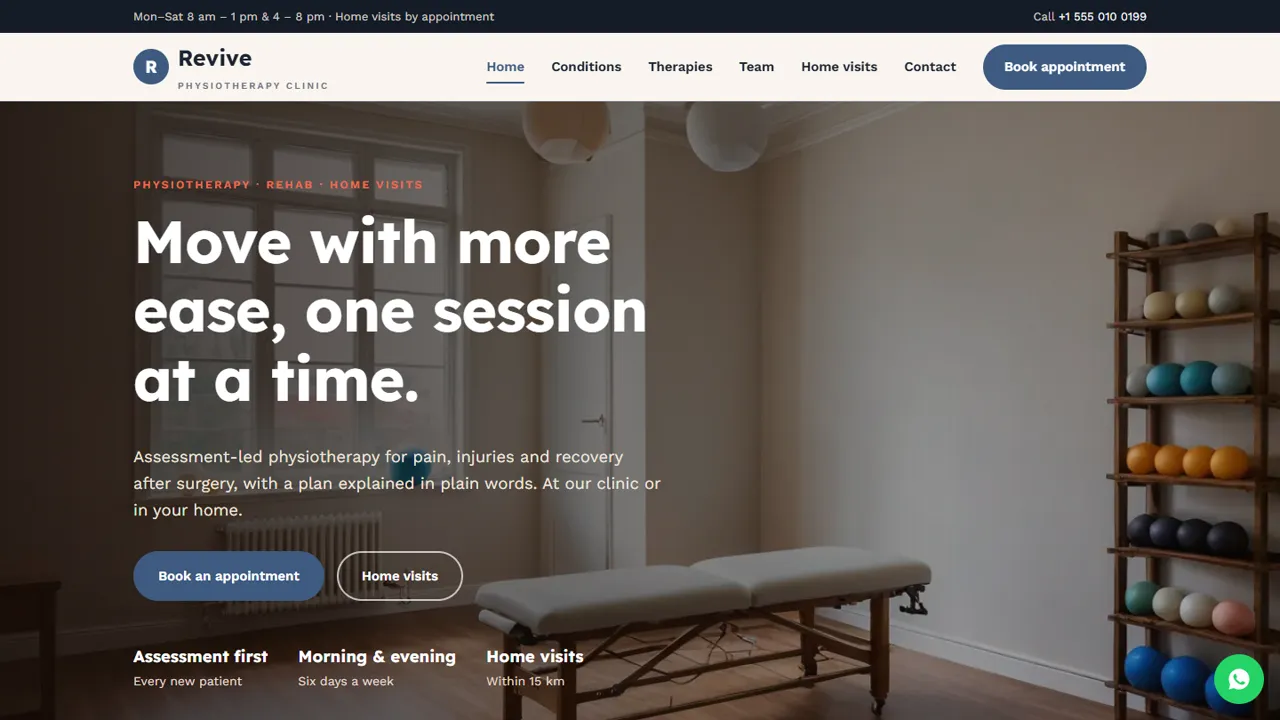
Everything included
- Conditions page written without cure or result claims
- Therapies with clinic, package and home-visit fees
- Physiotherapist profiles with qualifications
- Home-visits page with areas, fees and steps
- Appointment request form: clinic or home visit
- Not-medical-advice and see-a-doctor notices built in
- Physiotherapy schema, titles and meta descriptions
- Admin panel for your details, currency, chat and enquiries
From order to a live website
- 1
Choose a package
Code only, We set it up, or Customised. All prices are one-time.
- 2
Pay securely
Your download link is emailed once payment is confirmed and also appears in My Account.
- 3
We contact you
For setup packages we email within one business day for your cPanel / hosting login and domain.
- 4
Live on your domain
Your clinic site runs on your own hosting, with appointment requests arriving in your inbox.
What patients want to know before they book
People in pain want to know whether you see their problem, what a session involves, what it costs and whether you can come to them. Revive answers each on its own page, with a Book appointment button on every screen.
- Conditions you assess and help manage
- Therapies explained in plain words
- Session, package and home-visit fees
- Team with qualifications and interests
Home visits as a proper service
A dedicated page explains who home physiotherapy suits, the areas you cover and their fees, what the family should keep ready and how visits are booked. The appointment form has a home-visit option, and the notes field asks for the address.
- Areas and fees by distance
- Three-step booking explanation
- Checklist for the first visit
- Home-visit option on the form
Careful wording for a healthcare practice
The demo has no patient testimonials and no cure or result promises. A notice says the information is general and not medical advice, and another lists when to see a doctor first. The README reminds you to use each physiotherapist's real qualifications and check the advertising rules that apply to you.
- No testimonials or cure claims
- Not-medical-advice notice
- See-a-doctor-first notice with 112
- Physiotherapy schema markup
Every page, and what a patient does there
The home page offers Book an appointment and Home visits buttons, four cards for the most common reasons people come in (back and neck, sports injuries, after surgery, older adults), an 'assess first, then treat' section, three steps of how treatment works, clinic hours with morning and evening sessions, directions and a home-visit prompt. Conditions describes nine areas you see, from knee and joint pain and frozen shoulder to stroke rehab, balance and falls and women's health, each worded as 'assess and help manage', with advice to bring reports, X-rays or scans. Therapies explains manual therapy, exercise therapy, electrotherapy, taping, home exercise plans and rehab, then a tabbed fee list for clinic sessions, packages and home visits. Team shows each physiotherapist with role, qualifications and special interests. Home visits covers who it suits, three booking steps, areas and fees, and what the family should keep ready. A contact page with a map and a 404 page complete the site.
- Nine condition cards
- Fee tabs: clinic, packages, home visits
- Team cards with qualifications
- Home-visit checklist for families
Appointment requests and your admin panel
The appointment form takes the patient's name, phone and optional email, the appointment type (first assessment, follow-up or review at the clinic, a first home assessment or home follow-up, or 'not sure, please advise'), a date, a time from your clinic slots, and notes for the problem and the home address. Each request is emailed to the clinic and kept in the admin's Enquiries inbox behind your login, where the front desk can work through the day's requests and download them as a CSV. In /admin/ you set the clinic name, logo, phone, WhatsApp, address, map and your split morning and evening hours, switch on the WhatsApp button with an appointment message, and use the announcement bar for holiday closures or a new evening slot.
- Clinic or home visit in one form
- Enquiries inbox with CSV download
- Split clinic hours set in the admin
What you get and what you need
The zip has the home, conditions, therapies, team, home visits, appointment, contact and 404 pages, the stylesheet and script, the PHP form handler, config.php, the admin panel, sample photos, an .htaccess file, a README with notes on qualifications and wording, and the installation guide. It runs on any cPanel or shared hosting with PHP 7.4 or later. Before going live, replace the sample team with your physiotherapists' real names and qualifications exactly as issued, and replace the sample fees and home-visit areas with your own.
- No WordPress or database setup
- Sample team and fees to replace
- No live calendar, payments or video calls
More ready-made websites
Built by the same team, with the same setup service and support.
Browse every ready-made website, or compare our custom website packages if you need a site designed from scratch. Want more guests to find you on Google Maps? See our local SEO service, or talk to our web design team.



