
Sehat — Doctor's Clinic Website
A ready-made clinic website with doctor profiles, OPD timetable and appointment requests
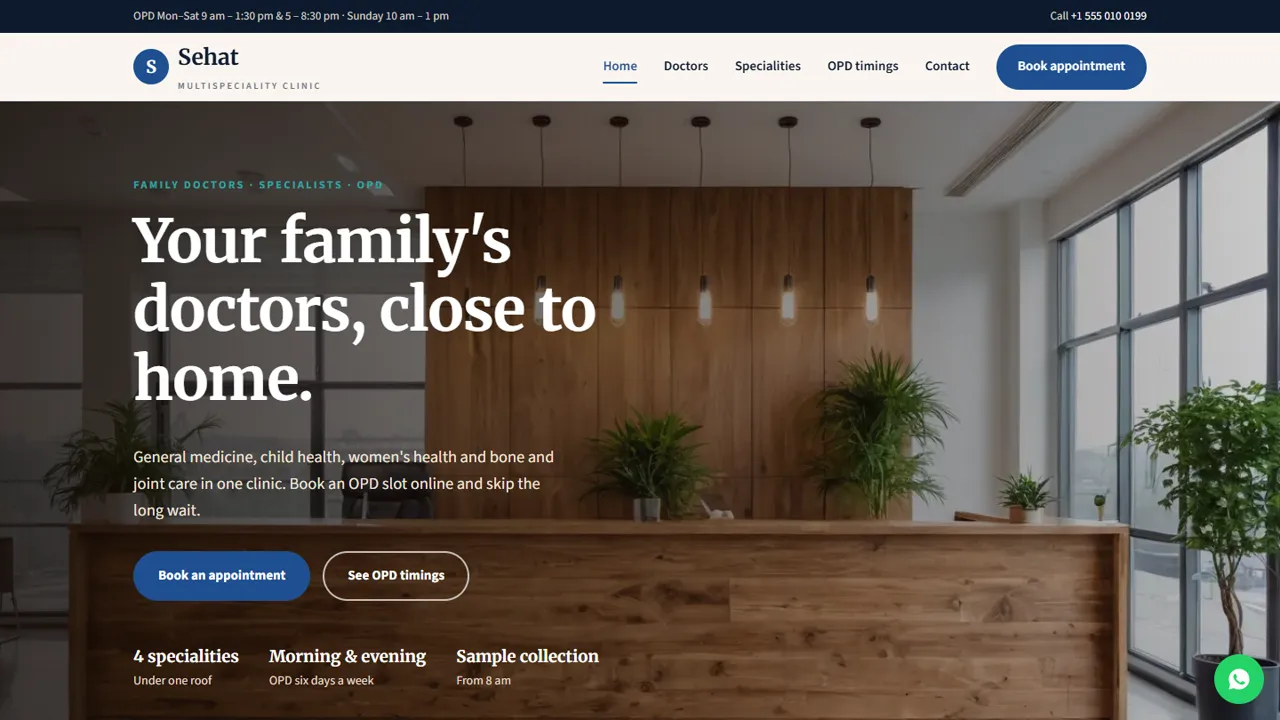
Everything included
- Doctor profiles with qualifications and OPD days
- Weekly OPD timetable
- Appointment request form by doctor or speciality
- Home, doctors, specialities, OPD timings and contact pages
- General-information and emergency notices built in
- MedicalClinic schema, titles and meta descriptions
- Admin panel for your details, currency, chat and enquiries
- WhatsApp and click-to-call on every page
From order to a live website
- 1
Choose a package
Code only, We set it up, or Customised. All prices are one-time.
- 2
Pay securely
Your download link is emailed once payment is confirmed and also appears in My Account.
- 3
We contact you
For setup packages we email within one business day for your cPanel / hosting login and domain.
- 4
Live on your domain
Your clinic site runs on your own hosting, with appointment requests arriving in your inbox.
What patients look for before they visit
Patients want to know which doctors you have, when each one sits, what a consultation costs and how to get an appointment. Sehat answers each on its own page, with a clear Book appointment button on every screen.
- Home page with specialities and how booking works
- Doctors with specialty, qualifications and OPD days
- Weekly OPD timetable
- Services and consultation fees
Appointment requests, not a booking system
The appointment form asks for the doctor or speciality, a date and a time, with optional notes. The request is emailed to you and your front desk confirms by phone or WhatsApp. The form says clearly that it is a request and should not be used in an emergency.
- Doctor or speciality choice
- Date and OPD time slots
- Spam trap and input checks
- Requests also kept in the admin's private inbox
Careful wording for a medical practice
The demo has no patient testimonials and makes no promises about results. Notices say that the information is general and not medical advice and that the clinic is not an emergency centre. The README reminds you to check your state's rules on medical advertising before you go live.
- No testimonials or result claims
- Not-medical-advice notice
- Emergency notice with 112
- MedicalClinic schema markup
What each page does
The home page introduces the four specialities, how consultations are spaced, the three steps of booking and your OPD hours with a map. The doctors page has a card for each doctor with specialty, qualifications and OPD days, and explains how referrals within the clinic work. The OPD timings page is a weekly table with one row per doctor plus sample collection hours, and tells patients that walk-ins are seen when a slot is free. The specialities page describes what each department helps with, the in-clinic checks such as ECG and blood pressure, a table of consultation and follow-up fees, a note that lab prices come from the partner laboratory, and a list of what to bring. The appointment page holds the request form and visit tips, and the contact page has the address, hours, map and a message form for questions about reports or timings.
- One timetable row per doctor
- Consultation, follow-up and ECG fees
- Sample collection hours with a partner lab
- 'What to bring' list for patients
Your admin panel, for a clinic front desk
In /admin/ you set the clinic name, logo, phone, WhatsApp, email, address, map and OPD hours once, and they replace the demo details across the site. Appointment requests go to the email address you choose and are also kept in the admin's Enquiries inbox, behind your admin login, with the doctor, preferred date and time and any note, so the front desk can work down the list each morning and download it as a CSV. Use the announcement bar when a doctor is on leave or the clinic is closed for a holiday, and set the WhatsApp button's opening message for patients who prefer to message. Live chat, Google Analytics, Tag Manager, the Meta Pixel, a cookie notice and maintenance mode are also switched on here. Keep the request form short and do not ask patients for medical history online.
- Requests kept in a login-protected inbox
- CSV download for the front desk
- Announcement bar for doctor leave or closures
- SMTP email from your clinic's domain
What you get and what it needs
The zip holds the HTML pages, stylesheet, scripts, the PHP form handler and admin, photos, an .htaccess file, a README with notes on doctor names, notices and medical advertising rules, and an illustrated installation guide. It runs on any cPanel or shared hosting with PHP 7.4 or later; SQLite is created automatically and MySQL is optional. Paste your licence key in the admin to switch the forms on, then send a test request. Patients pay at the clinic, as the demo says, by cash, card or UPI; nothing is charged online. Doctor cards, the timetable and fees are edited in plain HTML.
- PHP 7.4+, SQLite built in
- Forms switch on with your licence key
- Fees paid at the clinic, not online
- Doctors and timetable edited in HTML
More ready-made websites
Built by the same team, with the same setup service and support.
Browse every ready-made website, or compare our custom website packages if you need a site designed from scratch. Want more guests to find you on Google Maps? See our local SEO service, or talk to our web design team.



