
Northfield Shop — React Native Ecommerce App
An Android and iOS shopping app in React Native (Expo) for your Northfield Node.js store, with checkout, accounts and multi-currency
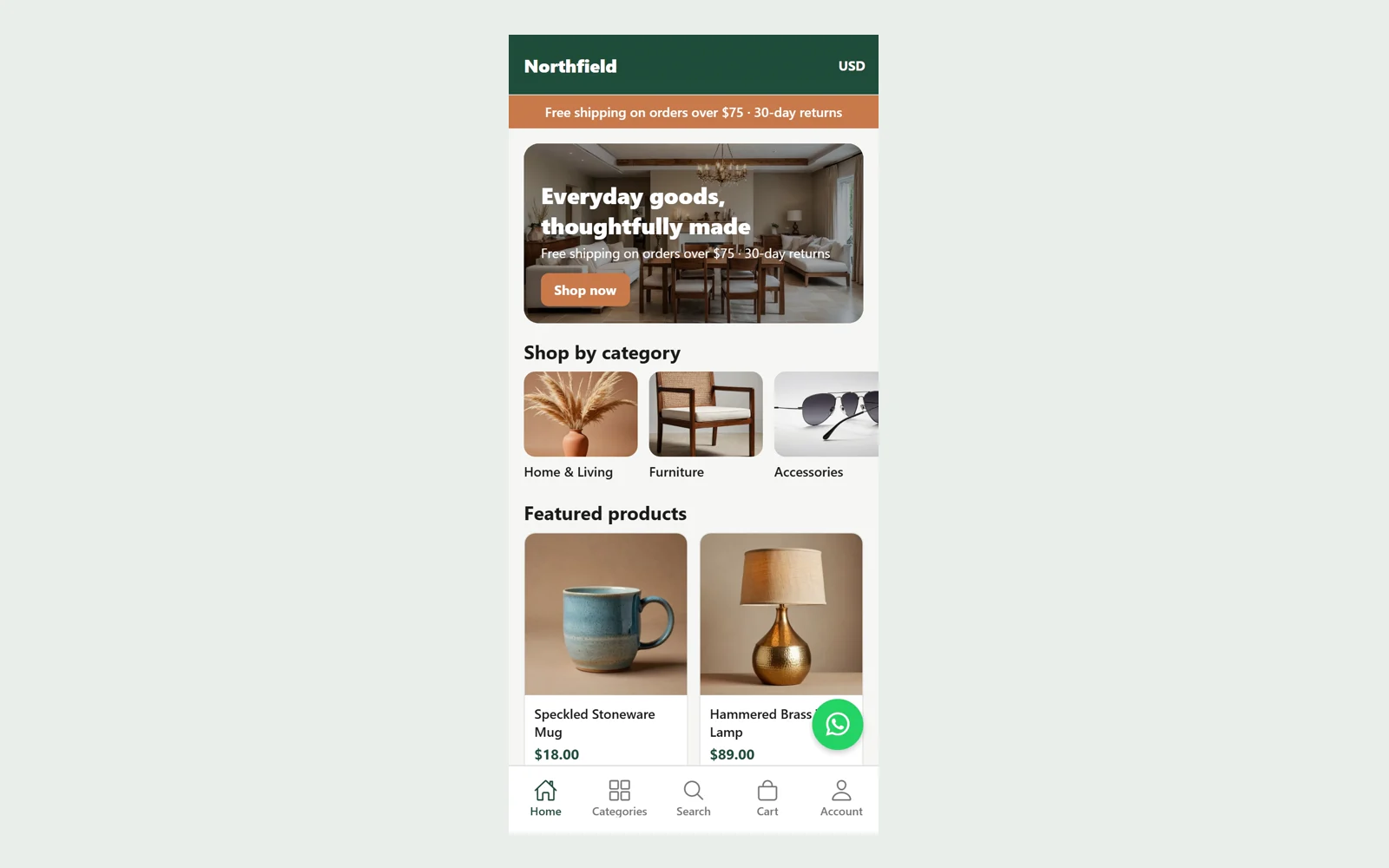
Everything included
- Android and iOS app in Expo, React Native and TypeScript
- Needs the Northfield Node.js store (or a compatible API)
- Home banner, categories and featured products from the store
- Search with category and price filters and sorting
- Product gallery and variant picker with sold-out options
- Cart with coupons; every total comes from the store
- Checkout for any country with shipping and payment choice
- Customer sign-in, order history and order details
- Currency switcher, remembered on the device
- Store colours and logo, WhatsApp and live-chat buttons
From order to a live website
- 1
Choose a package
Code only, We set it up, or Customised. All prices are one-time.
- 2
Pay securely
Your download link is emailed once payment is confirmed and also appears in My Account.
- 3
We contact you
For setup packages we email within one business day for your cPanel / hosting login and domain.
- 4
Live on your domain
Your app is built for your store and ready for Google Play and the App Store.
A mobile app for your own store
Northfield Shop is the source code of a shopping app that runs on your Northfield Node.js store. The store stays in charge: you add products, set prices, run coupons, choose shipping, taxes, currencies and payment methods in its admin panel, and the app shows them. Orders placed in the app appear in the same admin, with the same totals, next to the orders from your website.
- Expo SDK 58, React Native and TypeScript
- Expo Router screens: home, categories, search, product, cart, checkout, orders, account
- One setting points the app at your store
- Colours and logo come from the store's settings
Shopping that matches your website
Shoppers browse the category tree, search with category and price filters and five sort orders, and open products with a swipeable gallery. Products with options such as size and colour show each choice, grey out the sold-out ones and show the exact price of the chosen variant. The cart keeps only products and quantities; every line price, discount, shipping cost, tax and total comes from the store's quote, so the app can never show a different price from your website.
- Gallery and variant picker
- Coupon field with the store's rules
- Currency switcher, remembered on the device
- Sale prices and low-stock notes from the store
Checkout, payments and accounts
The checkout takes an address in any country, offers the shipping methods your store has for that address and the payment methods you switched on. Cash on delivery, bank transfer (with your bank details) and pay on pickup work inside the app. If you use the store's Stripe, Razorpay or PayPal add-ons, the app opens the store's secure payment page in an in-app browser and checks the order when the customer returns. Customers can create an account, sign in and see their orders, status and tracking.
- Guest checkout or customer accounts
- Offline payment instructions after the order
- Gateway payments on the store's own page
- Order history, status history and tracking link
Built for real phones and real networks
When the connection drops, the app shows a banner, keeps what it already loaded and offers a retry; it starts again by itself when the store can be reached. WhatsApp and live-chat buttons appear only when you switch them on in the store. An optional push-notification placeholder asks permission and gets an Expo push token, ready for you to connect to your server. Before release we checked the code with the TypeScript compiler and expo-doctor, and ran 33 scripted checks against the web build at a 390 by 844 phone viewport, all of which passed.
- Offline banner and retry on every screen
- Searchable country list in the address form
- Load-more paging on search results
- WhatsApp and live chat from the store's settings
- Contact screen and contact form
- Optional push-notification placeholder
What it does not do
This app has no database or admin of its own: it needs the Northfield Node.js store (sold separately), or a server with the same /api/v1 API, as its backend. We tested it through its web build on a phone-sized screen against a running store; we did not run the native Android and iOS builds ourselves, so build and test on your phones before publishing. Push messages need your own server code, and card payments need a store gateway add-on and your own gateway account. The demo store content is placeholder, with no reviews, ratings or sales numbers.
- Backend required: Northfield Node.js store or compatible API
- Native builds not run by us
- Push placeholder only; no server push included
- No reviews, ratings or sales figures in the demo
More ready-made websites
Built by the same team, with the same setup service and support.
Browse every ready-made website, or compare our custom website packages if you need a site designed from scratch. Want more guests to find you on Google Maps? See our local SEO service, or talk to our web design team.



