
ShieldGuard — Pest Control Service Website
A ready-made pest control website with treatments, rates by home size, safety information and inspection booking
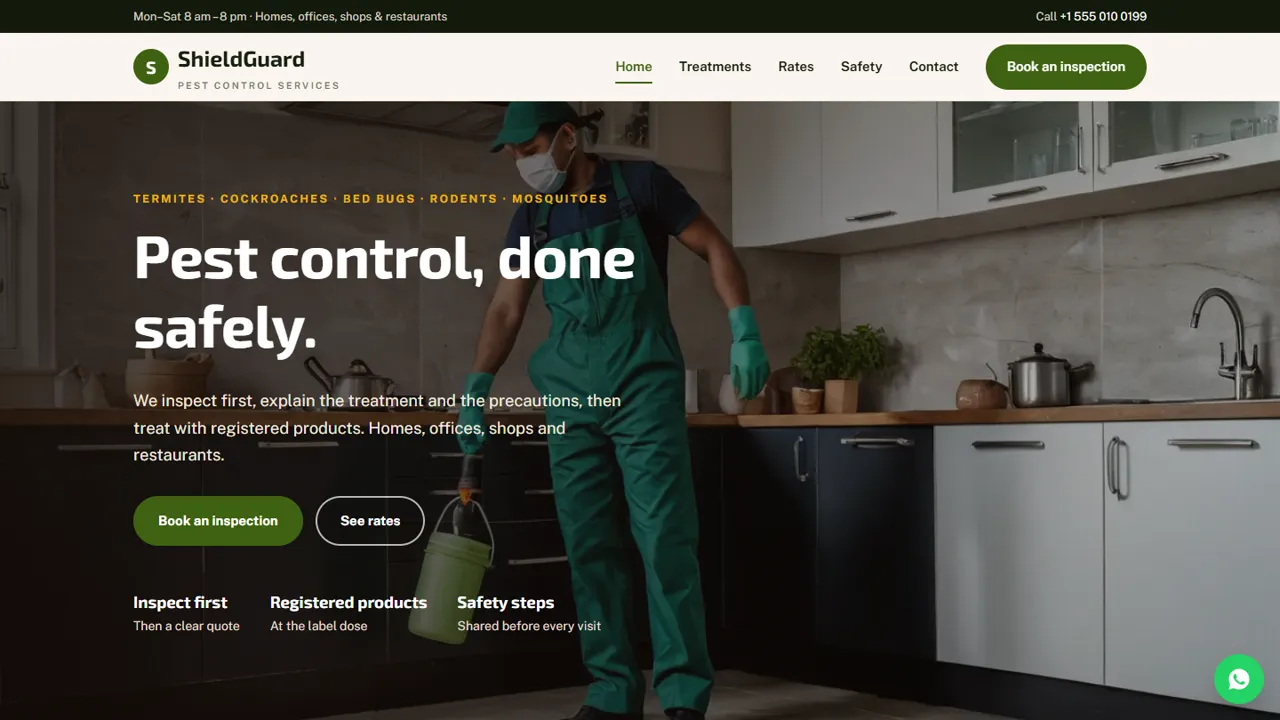
Everything included
- Treatments page for five common pests
- Tabbed indicative rates by home size
- Safety and precautions page with licence placeholder
- Inspection booking form with address
- Home, treatments, rates, safety, booking and contact pages
- WhatsApp and click-to-call on every page
- HomeAndConstructionBusiness schema, titles and meta descriptions
- Admin panel for your details, currency, chat and enquiries
From order to a live website
- 1
Choose a package
Code only, We set it up, or Customised. All prices are one-time.
- 2
Pay securely
Your download link is emailed once payment is confirmed and also appears in My Account.
- 3
We contact you
For setup packages we email within one business day for your cPanel / hosting login and domain.
- 4
Live on your domain
Your pest control site runs on your own hosting, with inspection bookings arriving in your inbox.
Answers homeowners look for
Before calling pest control, people want to know how you treat their pest, roughly what it costs for their home size and whether it is safe for children and pets. ShieldGuard puts treatments, rates and safety on their own pages, with a Book an inspection button on every screen.
- Treatments page with method and visits
- Indicative rates by 1, 2, 3 BHK and villa
- Safety page with precautions
- Contact page with map
Inspection requests with the address
The booking form asks for the pest, a date, a time slot and the address, plus notes for home size and whether children, elderly people or pets live there. It arrives in your inbox and you confirm by phone or WhatsApp.
- Pest type and preferred slot
- Address field for the visit
- Notes for home size and family
- Spam trap and input checks
Honest by default
The template says you use products registered under the Insecticides Act, marks rates as indicative, has a placeholder for your licence number and avoids "100% guaranteed" claims. You fill in your own details and warranty terms.
- Registered-products notice
- Rates marked indicative
- Licence number placeholder
- No guaranteed-results wording
What is on each page
The home page introduces termite control, cockroach control, bed bug treatment and rodents and mosquitoes, explains that you find the source before you spray, shows your most booked treatments and the four steps from booking a slot to inspection, treatment and follow-up. The treatments page explains how you deal with termites, cockroaches, bed bugs, rats and mice, mosquitoes, and offices and restaurants. The rates page has tabs for cockroach treatment by 1, 2 and 3 BHK and villa, termite treatment (pre-construction, post-construction by home size and wooden furniture spot treatment), bed bugs by home size, rodent control for homes and for shops or restaurants, and mosquito control from an indoor spray to garden or society fogging. The safety page covers the products you use, precautions for children, elderly people and pets, what to do before and after the visit and what to do if someone feels unwell. The contact page has your address, a map and a message form.
- Home, Treatments, Rates, Safety
- Book an inspection page
- Contact page with map
- Page-not-found page
The inspection form, field by field
A customer gives a name, phone and optional email, picks the problem (cockroaches, termites, bed bugs, rats and mice, mosquitoes, general pest control, an office, shop or restaurant, or not sure), chooses a preferred date and a two-hour slot, and types the address for the visit. A notes box asks for the home size, where the pests are seen and whether children, elderly people or pets live there. Beside the form, a short list explains how to get ready before the technician arrives. The form says the visit is confirmed by call or message and that no payment is taken.
- Eight problem types
- Two-hour slots from morning to evening
- Required visit address
- Before-the-visit checklist
The admin panel for your dispatcher
At your-domain.com/admin/ you create your login, then set the company name, logo, phone, WhatsApp number, email, address, map and working hours, which replace the demo details on every page. Each inspection request lands in your email and in the Enquiries inbox with the address and slot, so the person assigning technicians works from one list and can export it to CSV. You can switch on the WhatsApp button with a ready message, live chat, Google Analytics or the Meta Pixel, and use the announcement bar before monsoon or termite season. Rates and treatment text stay in the HTML files.
- Requests with address and slot in one inbox
- CSV export for the day's visits
- Seasonal announcement bar
- WhatsApp, chat and analytics switches
Download, setup and hosting
The zip includes the seven HTML pages, CSS, JavaScript, the PHP form handler and admin, the photos, an .htaccess file, a README and an illustrated installation guide. It runs on any cPanel or shared host with PHP 7.4 or later, with SQLite built in. Set the receiving address in config.php, paste your licence key, add your licence number on the safety page and book a test inspection.
- No WordPress needed
- SQLite built in, MySQL optional
- Your own domain and hosting
- We can install it for you
What it leaves to you
ShieldGuard does not take payments, send service reminders, issue treatment certificates or warranty cards, or track technicians. Replace the demo rates with your own, and describe only the chemicals, methods and warranty terms you actually use.
- No online payments
- No AMC or reminder system
- No certificates generated
- Demo rates to replace
More ready-made websites
Built by the same team, with the same setup service and support.
Browse every ready-made website, or compare our custom website packages if you need a site designed from scratch. Want more guests to find you on Google Maps? See our local SEO service, or talk to our web design team.



