
Aarogya — Nursing Home & Hospital Website
A ready-made website for a nursing home or small hospital, with departments, doctors, OPD timetable and appointment requests
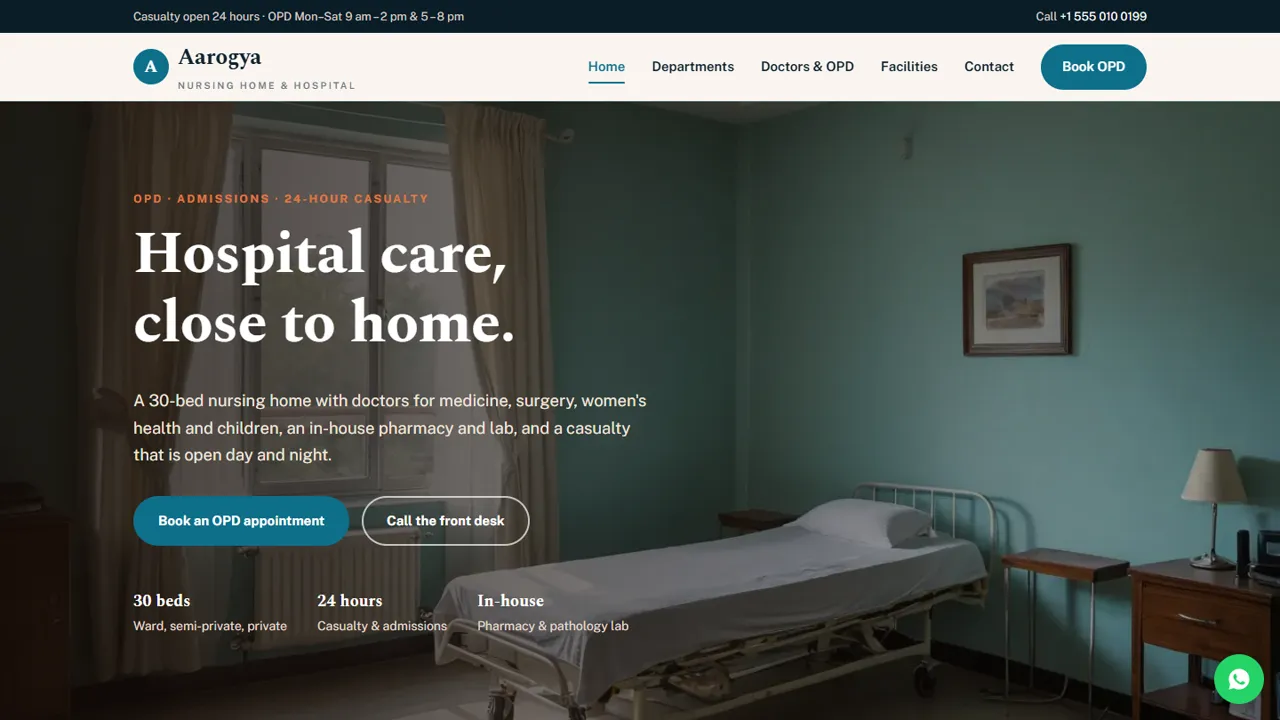
Everything included
- Departments with what each one treats
- Doctor profiles and weekly OPD timetable
- Facilities: OPD, IPD rooms, casualty, pharmacy and lab
- Indicative room tariffs and an Insurance & TPA placeholder
- OPD appointment request form by department or doctor
- Emergency and not-medical-advice notices built in
- Hospital schema, titles and meta descriptions
- Admin panel for your details, currency, chat and enquiries
From order to a live website
- 1
Choose a package
Code only, We set it up, or Customised. All prices are one-time.
- 2
Pay securely
Your download link is emailed once payment is confirmed and also appears in My Account.
- 3
We contact you
For setup packages we email within one business day for your cPanel / hosting login and domain.
- 4
Live on your domain
Your hospital site runs on your own hosting, with OPD appointment requests arriving in your inbox.
What families check before choosing a hospital
Families want to know which departments you have, which doctors sit when, whether there is a casualty, what a room costs and whether their insurance is accepted. Aarogya answers each question on its own page, with Book OPD and a click-to-call number on every screen.
- Departments with what each treats
- Doctors with qualifications and OPD days
- Weekly OPD timetable
- Rooms, casualty, pharmacy and lab
Insurance and tariffs, without false claims
The facilities page shows indicative room charges and explains that doctor visits, medicines and procedures are billed separately. The Insurance & TPA section ships as a placeholder: you add only the insurers, TPAs and government schemes you are actually empanelled with.
- Indicative room tariffs
- Insurance & TPA placeholder list
- Written-estimate wording for planned admissions
- Claim approval wording that stays accurate
Appointment requests, not a hospital system
The OPD form asks for a department or doctor, a date and a time, with optional notes. The request is emailed to you and your front desk confirms by phone or WhatsApp. The form says clearly that it is not for emergencies.
- Department or doctor choice
- Date and OPD time slots
- Spam trap and input checks
- Copy kept in the admin's Enquiries inbox
Careful wording for a medical practice
The demo has no patient testimonials and makes no promises about outcomes. It explains what the casualty can and cannot do, gives 112 and 108 for ambulances, and says the information is general and not medical advice. The README reminds you to check your state's rules on medical advertising.
- No testimonials or result claims
- Emergency notice with 112 and 108
- Not-medical-advice notice
- Hospital schema markup
Every page, and what it does for a patient
The home page introduces the hospital with Book OPD and Call the front desk buttons, the six departments, a section on admissions and nursing care, the four steps of an OPD visit (book or walk in, register, see your doctor, tests and medicines) and a band with casualty, OPD and pharmacy hours and directions. The departments page explains what each department treats, then gives maternity its own section, from antenatal check-ups to the newborn check-up before discharge, and explains planned surgery: the surgeon explains the procedure first and the billing desk gives a written estimate. The doctors page has a card for each resident doctor with qualifications and OPD days, and a weekly timetable with one row per doctor, including visiting consultants. The facilities page covers OPD, IPD and rooms, casualty, pharmacy, pathology lab and private rooms, the indicative tariffs and the Insurance & TPA placeholder. The contact page has the address, a map and a short contact form.
- Home, Departments, Doctors & OPD, Facilities
- Book OPD appointment page
- Contact page with map and form
- Page-not-found page
Your admin panel at the front desk
Open your-domain.com/admin/ and create your login. Put in the hospital's name, logo, front-desk phone, WhatsApp number, email, address, map and opening hours once, and they replace the demo details on every page. Every OPD request and contact message is emailed to the address you choose and also saved in the Enquiries inbox, so the front desk can work through the day's requests and download them as a CSV. From the same panel you can switch on the floating WhatsApp button with a ready message, a live chat tool, Google Analytics, an announcement bar for changed OPD timings or a holiday, a cookie notice and maintenance mode while you edit. Doctor cards, the timetable and tariffs are edited in the HTML files.
- OPD requests in your inbox and the Enquiries list
- Announcement bar for OPD changes
- WhatsApp button and live chat switches
- SMTP email if PHP mail() is blocked
What is in the zip and how it goes live
You get the seven HTML pages, the stylesheet and scripts, the PHP form handler and admin, the photos, an .htaccess file, a README and an illustrated installation guide. Upload it to public_html on any cPanel or shared host with PHP 7.4 or later, create a mailbox, set the receiving address in config.php and send a test request from the appointment page. The database is SQLite and is created by itself, so there is nothing to install. The licence key from your order switches the forms on.
- HTML, CSS, JavaScript and PHP
- PHP 7.4+ hosting, no WordPress
- SQLite built in, MySQL optional
- Licence key activates the forms
Honest limits
This is a public website for a hospital, not hospital software. An appointment request is not a confirmed booking until your staff call back. There is no bed availability, patient login, report download, billing, payment or queue token on the site. Check every doctor's name and qualification, and change the bed count and casualty claims to match what your hospital really has before going live.
- No online payment or billing
- No patient records or report downloads
- No live bed or token status
- Demo doctors and tariffs must be replaced
More ready-made websites
Built by the same team, with the same setup service and support.
Browse every ready-made website, or compare our custom website packages if you need a site designed from scratch. Want more guests to find you on Google Maps? See our local SEO service, or talk to our web design team.



