
SteelCraft — Manufacturing Company Website
A ready-made B2B website for a manufacturer or job shop, with a machine list and an RFQ form that takes drawings
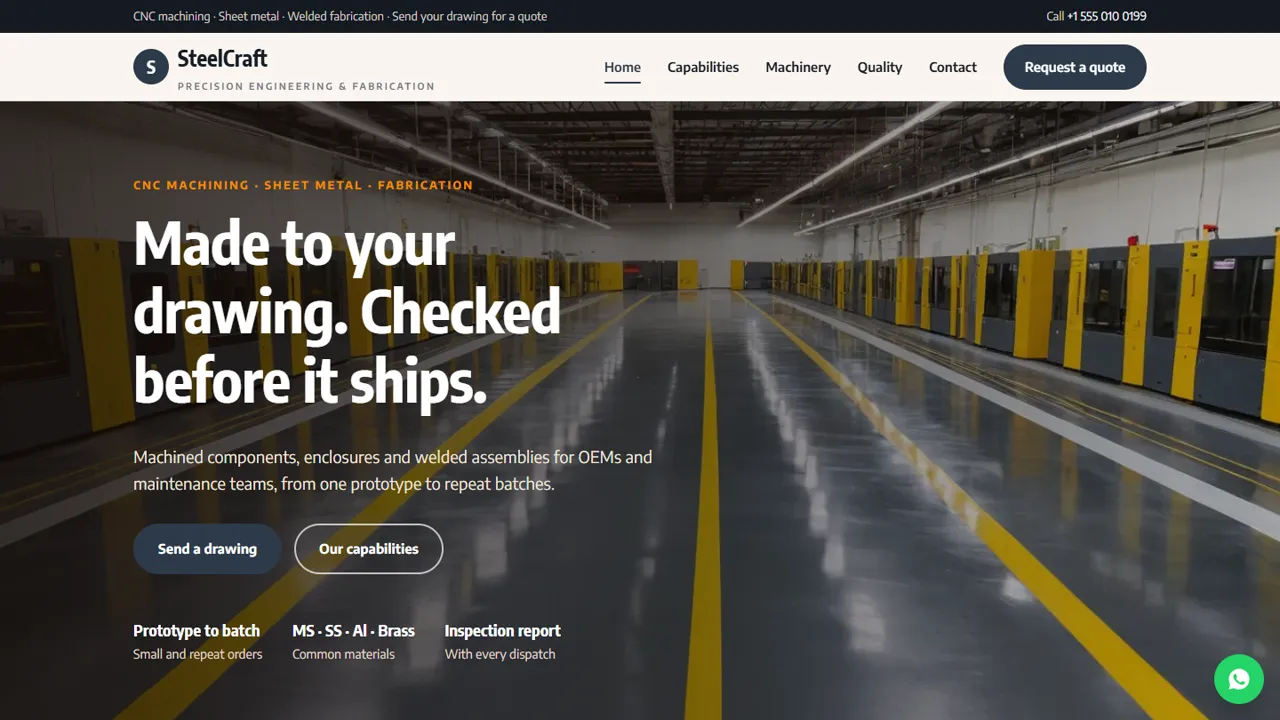
Everything included
- RFQ form with drawing upload (PDF, JPG, PNG)
- Capabilities, materials and industries served
- Machine list table with quantities and capacities
- Quality page with inspection steps and ISO placeholder
- Home, capabilities, machinery, quality, RFQ and contact pages
- WhatsApp and click-to-call on every page
- LocalBusiness schema, titles and meta descriptions
- Admin panel for your details, currency, chat and enquiries
From order to a live website
- 1
Choose a package
Code only, We set it up, or Customised. All prices are one-time.
- 2
Pay securely
Your download link is emailed once payment is confirmed and also appears in My Account.
- 3
We contact you
For setup packages we email within one business day for your cPanel / hosting login and domain.
- 4
Live on your domain
Your company site runs on your own hosting, with RFQs and drawings arriving in your inbox.
What industrial buyers check first
A purchase or maintenance engineer wants to know quickly whether you can make the part: which processes you run, which materials you work with, how big your machines are and how you check quality. SteelCraft gives each of these its own page, with a Request a quote button on every screen.
- Capabilities with materials and typical parts
- Machine list as a simple table
- Inspection steps and measuring equipment
- Industries served and how an order runs
Quotes start with a drawing
The RFQ form asks for the type of work and a drawing as a PDF, JPG or PNG, plus quantity, material, tolerances and the delivery date. The drawing arrives as an email attachment, so your estimation team can start straight away.
- Drawing upload, checked by file type, up to 5 MB
- Work type drop-down from your capabilities
- Notes for quantity, material and delivery
- Spam trap; files are never stored on the server
Honest by default
The certification line is a clearly marked placeholder, so you add your real ISO certificate number and certifying body only if you hold one. The machine list is sample data you replace with your own machines.
- ISO placeholder with instructions in the code
- Sample machine list marked for replacement
- No made-up client logos or claims
- LocalBusiness schema for search
What each page does
The home page states what you make and for whom, shows the four capabilities, explains how quotes, tolerances and lead times are handled, and lists the industries you supply. The capabilities page gives each process its own block with typical parts and a 'quote for this' link, followed by the materials you work with. The facility page has the machine table with quantity and capacity, a note on work done through partners such as laser cutting or coating, and a description of the shop floor. The quality page sets out the inspection stages from incoming material to final dimensional report, the measuring instruments in your inspection room, third-party testing and the industries you serve. The RFQ page holds the drawing upload and a checklist of what to include for a faster quote, and the contact page has your works address, office hours, map and a message form.
- 'Quote for this' link on each capability
- Partner processes listed honestly
- Inspection stages and measuring equipment
- 'What to include' checklist beside the RFQ form
Your admin panel, for a manufacturer
In /admin/ you set the company name, logo, phone, WhatsApp, email, works address, map and office hours, and they replace the demo details on every page. Each request for quotation is emailed with the drawing attached and also saved in the Enquiries inbox with the buyer's name, work email, type of work and notes. The inbox records only the attachment's file name, never the drawing itself, so it is a log your estimation team can work through and download as a CSV. Set SMTP so quotes arrive from your own domain, add an announcement bar for a plant shutdown or new machine, and switch on live chat, Google Analytics, Tag Manager or the Meta Pixel. Export buyers can see prices in their own currency if you add any to the pages and enter exchange rates.
- RFQs logged in the inbox, drawings only in email
- CSV download for the estimation team
- SMTP email from your domain
- Announcement bar for shutdowns or news
What you get and what it needs
The zip holds the HTML pages, stylesheet, scripts, the PHP form handler with the file upload, the admin, photos, an .htaccess file, a README and an illustrated installation guide. It runs on cPanel or shared hosting with PHP 7.4 or later; SQLite is created automatically and MySQL is optional. Paste your licence key in the admin to switch the forms on, then send a test RFQ with a small PDF to check the attachment reaches you. Only one file can be attached per request, so buyers with several drawings combine them into one PDF. There is no customer portal, price calculator, order tracking or ERP link: quotations and orders stay in your own systems.
- One drawing per request, up to 5 MB
- PHP 7.4+, SQLite built in
- No customer portal or price calculator
- Machine list and ISO line edited in HTML
More ready-made websites
Built by the same team, with the same setup service and support.
Browse every ready-made website, or compare our custom website packages if you need a site designed from scratch. Want more guests to find you on Google Maps? See our local SEO service, or talk to our web design team.



