
GlobEx Exim — Export & Trading Company Website
A ready-made website for an exporter or trading company, with a product catalogue, markets, process and trade enquiries
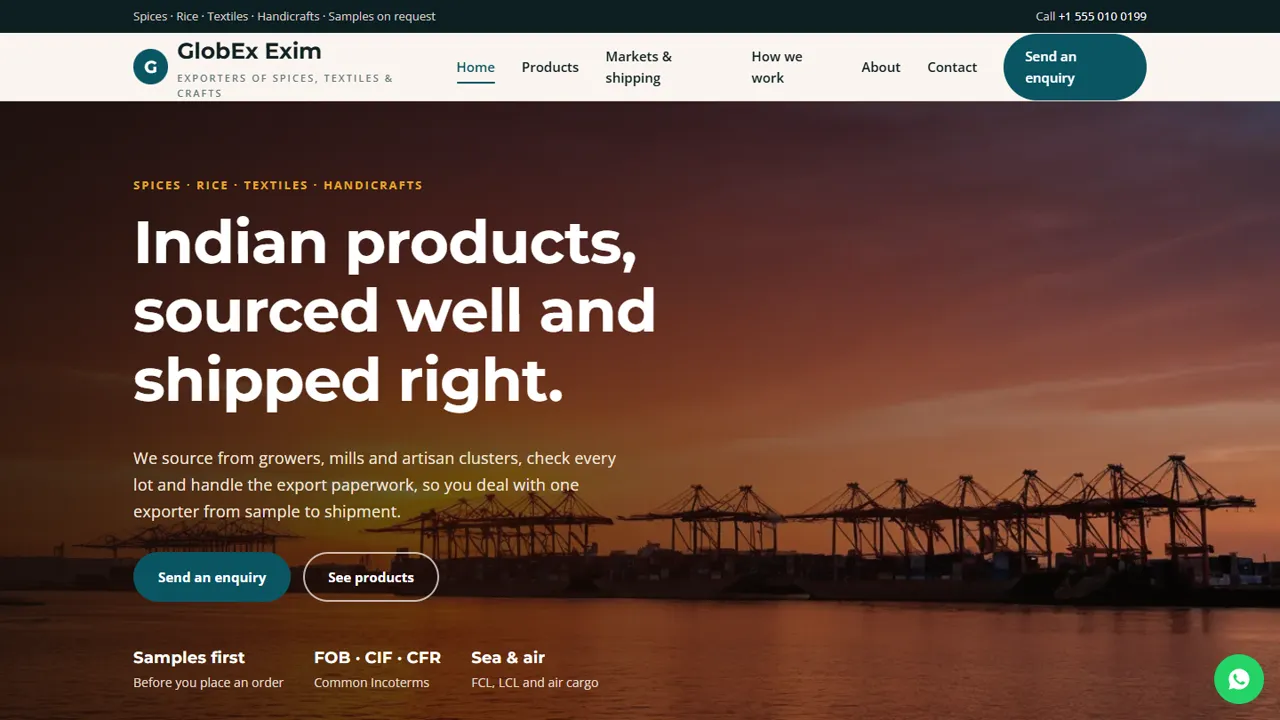
Everything included
- Product catalogue with category tabs and MOQs
- Export markets, Incoterms and documents pages
- Sampling-to-shipping process in eight steps
- Placeholders for IEC, APEDA and other registrations
- Trade enquiry form to your inbox
- WhatsApp and click-to-call on every page
- LocalBusiness schema, titles and meta descriptions
- Admin panel for your details, currency, chat and enquiries
From order to a live website
- 1
Choose a package
Code only, We set it up, or Customised. All prices are one-time.
- 2
Pay securely
Your download link is emailed once payment is confirmed and also appears in My Account.
- 3
We contact you
For setup packages we email within one business day for your cPanel / hosting login and domain.
- 4
Live on your domain
Your export site runs on your own hosting, with trade enquiries arriving in your inbox.
What overseas buyers want to see
Importers comparing suppliers look for the product range, minimum quantities, the Incoterms you quote, the documents you can provide and proof that you are a registered exporter. GlobEx Exim puts all of this on clear pages, with a Send an enquiry button on every screen.
- Tabbed catalogue by product category
- Markets and Incoterms table
- Export documents explained
- About page with registrations
From first email to first container
The process page walks the buyer through enquiry, samples, quotation, proforma, production, quality check, packing and documents, so they know what to expect and when they approve each stage.
- Eight steps in two stages
- Sampling and payment terms explained
- Third-party inspection option
- Good-to-know notes for first orders
Honest and easy to update
Registration numbers are marked placeholders in the code, so you add only the ones you hold. Products are simple blocks you copy or delete, and MOQs are shown as indicative.
- IEC, APEDA, Spices Board, GSTIN and FSSAI placeholders
- Products as copy-and-edit blocks
- No made-up buyer logos or volumes
- Colours and fonts in one CSS block
The pages, one by one
The home page lists what you export, explains that the lot the buyer approves is the lot that ships, and shows the regions you serve. The products page is the catalogue: four groups, such as turmeric, chilli and cumin, basmati and non-basmati rice and pulses, chikankari and block-printed textiles, and brass and wooden handicrafts, each with grades or forms and an indicative MOQ. The markets page covers the Middle East, Europe and UK, North America and Asia-Pacific, how cargo moves by sea or air, and the documents that travel with it, from commercial invoice and bill of lading to certificate of origin, phytosanitary certificate, lab reports and inspection certificate. The process page splits the eight steps into enquiry and samples, then production and shipping, with notes on private-label packing, lead times, payment terms and the buyer's import rules. The about page tells your sourcing story and holds your registrations. All products, ports and MOQs in the demo are samples.
- Home, products, markets, process, about, enquiry and contact pages
- Shipping documents explained one by one
- Before-your-first-order notes
- Office hours shown in IST
Trade enquiries and your admin panel
The enquiry form asks for the buyer's name, a WhatsApp number with country code, a business email and a free-text requirement, and a side panel prompts them to include grade, quantity per shipment, packing, destination port, preferred Incoterm and any certificates their market needs. Each enquiry is emailed to your export desk, with the buyer's address as reply-to, and saved in the Enquiries inbox at /admin/, where you can download all leads as a CSV for your follow-up sheet. In the admin you set the company name, logo, phone, WhatsApp number and greeting, email, office address, map, hours and social links. Switch on more currencies with your own rates so buyers can read indicative prices in US dollars, euros or dirhams, and add live chat for buyers in other time zones. Catalogue text and MOQs are edited in the HTML.
- WhatsApp number with country code and business email
- Every buyer enquiry kept in the admin, with CSV export
- Currency switcher with rates you set
- Live chat for overseas buyers
Setup, hosting and limits
The zip holds the pages, stylesheet, scripts, photos, PHP form handler, admin and an illustrated guide. Upload it to cPanel, create your admin login and paste your licence key to switch the forms on; one key covers up to three domains. It needs PHP 7.4 or later, sets up its own SQLite database (MySQL is optional) and sends mail by PHP mail() or SMTP. There is no file upload on the enquiry form, no live price list, no buyer login, no online orders or payments and no shipment tracking: quotes, proformas and documents stay in your own process.
- Plain HTML, CSS, JavaScript and PHP
- No buyer portal or order system
- No online payments
- Spam trap and a limit on repeat messages
More ready-made websites
Built by the same team, with the same setup service and support.
Browse every ready-made website, or compare our custom website packages if you need a site designed from scratch. Want more guests to find you on Google Maps? See our local SEO service, or talk to our web design team.



