
Little Steps — Preschool & Daycare Website
A ready-made preschool, play school and daycare website with programmes by age, daily routine, safety and visit booking
Everything included
- Programmes by age with timings and indicative fees
- Daily routine timetable for preschool and daycare
- Safety and care page
- School visit booking form
- Home page photo gallery
- Sample parent testimonials, marked for replacement
- Preschool schema, titles and meta descriptions
- Admin panel for your details, currency, chat and enquiries
From order to a live website
- 1
Choose a package
Code only, We set it up, or Customised. All prices are one-time.
- 2
Pay securely
Your download link is emailed once payment is confirmed and also appears in My Account.
- 3
We contact you
For setup packages we email within one business day for your cPanel / hosting login and domain.
- 4
Live on your domain
Your preschool site runs on your own hosting, with visit requests arriving in your inbox.
What parents want to know about a preschool
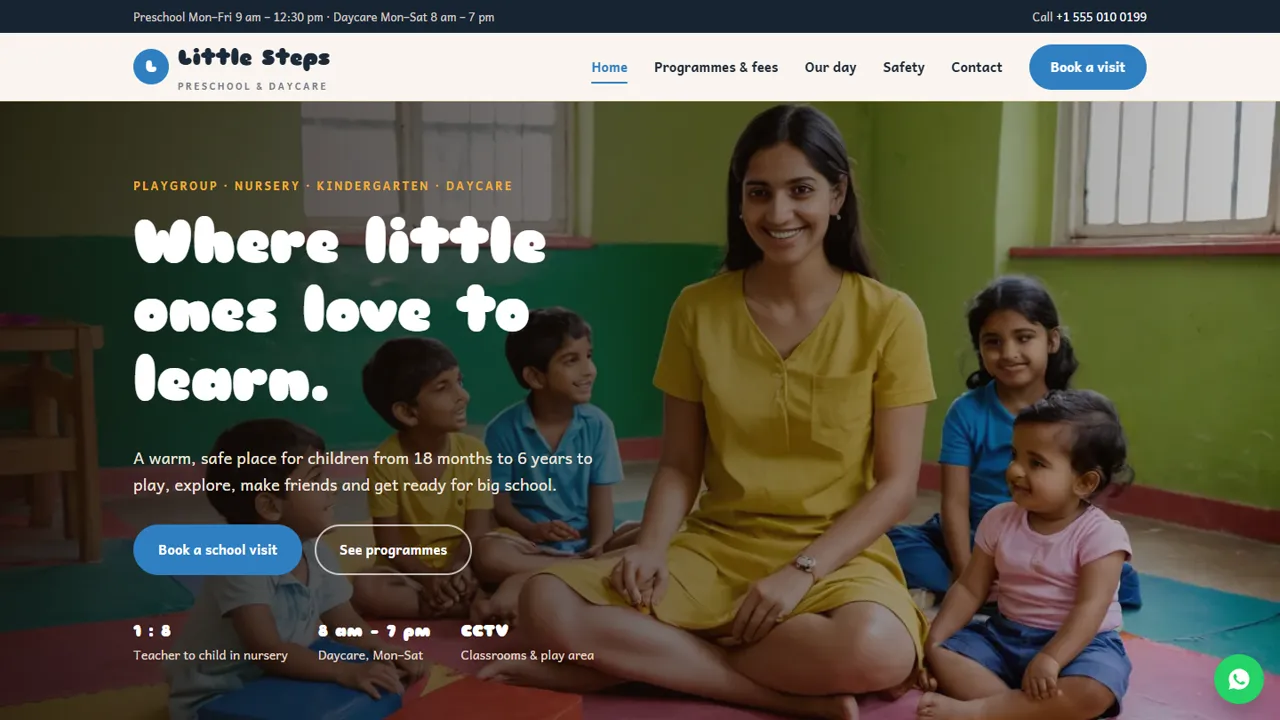
Parents of young children ask three things first: is it safe, what will my child do all day, and what does it cost. Little Steps answers each on its own page, with a Book a visit button on every screen and a cheerful photo gallery on the home page.
- Programmes for each age group
- Daily routine timetable
- Safety and care page
- Indicative monthly and one-time fees
Visits booked online
The visit form asks for the programme (each option shows its age range, with a 'not sure, please advise' choice), a preferred date and time and an optional note, then emails the request to you. You confirm by phone or WhatsApp, and the parent comes in with their child.
- Programme choice by age
- Preferred date and time
- Spam trap and input checks
- Requests also kept in the admin inbox
Warm, but honest
The parent quotes on the home page are marked as sample testimonials for you to replace with real feedback or delete. Fees are labelled indicative, and the README asks you to keep only the safety promises that are true for your preschool and to use children's photos only with parents' permission.
- Sample testimonials clearly marked
- Indicative fee wording
- Safety claims you can edit
- Preschool schema markup
What each page shows parents
The home page introduces the four programmes, explains learning through play with a weekly theme, and has the photo gallery and parent quotes. The programmes page gives each age group its timings, days and indicative monthly fee, then a table of one-time charges such as registration, the annual kit and daycare meals, and a four-step guide to admission, including the documents to bring. The daily routine page is a timetable that sets the preschool morning beside the full daycare day, followed by notes on meals, nap time and how you keep in touch with parents. The safety page covers entry, authorised pick-up, staff verification, first aid, hygiene, child-safe spaces and supervision ratios, and asks parents to share allergies and medicines in writing. The visit page explains what a visit includes, and the contact page has your address, hours, map and a message form.
- Preschool and daycare day side by side
- One-time charges and admission steps
- Safety page with pick-up and medicine rules
- Separate preschool and daycare hours
Your admin panel, for a preschool
In /admin/ you enter the preschool name, logo, phone, WhatsApp, email, address, map and opening hours once, and they change across the site. Every visit request and message is saved in the Enquiries inbox as well as emailed, so the coordinator can see which programme each family asked about and download the list as a CSV during admission season. Use the announcement bar for news such as admissions opening or a holiday closure, and switch on the WhatsApp button so parents can ask a quick question. Live chat, Google Analytics, Tag Manager, the Meta Pixel, a cookie notice and maintenance mode are also set from the admin.
- Visit requests kept in an Enquiries inbox
- CSV download during admissions
- Announcement bar for admissions or closures
- WhatsApp button for parents' questions
What you get and what you need
The zip holds the HTML pages, stylesheet, scripts, the PHP form handler and admin, photos, an .htaccess file, a README with notes on safety wording, testimonials and children's photos, and an illustrated installation guide. Any cPanel or shared hosting with PHP 7.4 or later works; SQLite is created automatically and MySQL is optional. Paste your licence key in the admin to switch the forms on, then send a test visit request. Programme text, fees, the routine and the safety page are edited in plain HTML. Replace the demo photos with your own, and show children only with their parents' written permission.
- PHP 7.4+, SQLite built in
- Forms switch on with your licence key
- README notes on safety and photo consent
- No admissions forms or fee collection online
More ready-made websites
Built by the same team, with the same setup service and support.
Browse every ready-made website, or compare our custom website packages if you need a site designed from scratch. Want more guests to find you on Google Maps? See our local SEO service, or talk to our web design team.



