
Respawn — Gaming Café & Esports Lounge Website
A ready-made gaming café website with hourly rates for PCs and consoles, packs, tournaments and slot booking requests
Everything included
- Hourly rate table for PCs, consoles and sims by time of day
- Pack cards plus party, snack and add-on price lists
- Slot booking request form: station, date, time, players
- Tournaments page with formats, entry fees and steps
- House rules page with age policy and hygiene
- EntertainmentBusiness schema, titles and meta descriptions
- Admin panel for your details, currency, chat and enquiries
- WhatsApp and click-to-call on every page
From order to a live website
- 1
Choose a package
Code only, We set it up, or Customised. All prices are one-time.
- 2
Pay securely
Your download link is emailed once payment is confirmed and also appears in My Account.
- 3
We contact you
For setup packages we email within one business day for your cPanel / hosting login and domain.
- 4
Live on your domain
Your gaming café site runs on your own hosting, with slot requests arriving in your inbox.
Rates gamers can read in five seconds
The rates page is a table with one row per station type and a column for each time band, so a gamer sees what an evening on a Pro PC costs before walking in. Pack cards show the per-hour saving, and parties, snacks and add-ons sit in tabbed price lists.
- Five station types
- Weekday day, weekday evening and weekend columns
- Three pack cards
- Parties, snacks and add-ons
Tournaments that fill your quiet evenings
The tournaments page shows sample weekly and monthly events with format, team size, entry fee and prize, then four steps to enter and the tournament rules. Edit the cards before each event, or use the page for private events and college fests.
- Three tournament cards
- Steps to register
- Fair-play rules
- Private event enquiry
House rules, written down once
Age policy, game ratings, no betting, food and drink, hygiene between sessions and taking breaks are set out on one page, so staff can point to it instead of explaining the rules at every desk.
- Age and ratings policy
- Hygiene between sessions
- Behaviour and damage
- Account safety notice
Who it is for
Respawn fits a neighbourhood gaming café with a row of PCs, a console lounge with sofas, a LAN centre near a college, or an esports lounge that runs weekly cups. The demo has standard and pro PCs, console stations, a four-player lounge and a racing simulator, but each station type is a table row and a dropdown option you can rename or remove, so a console-only zone or a PC-only LAN room works just as well.
- Gaming cafés and LAN centres
- Console lounges and racing sim rooms
- Esports lounges running community cups
What gamers see on each page
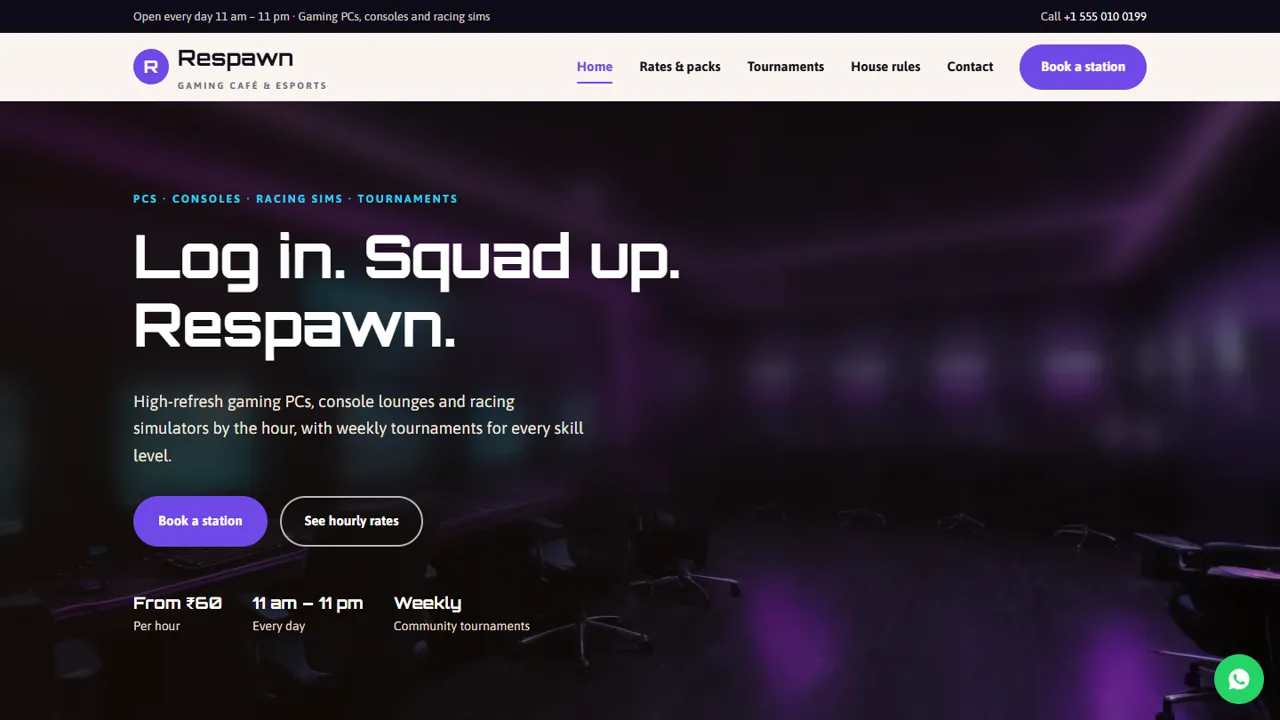
The home page leads with Book a station and See hourly rates buttons, four tiles for PCs, consoles, racing sims and parties, a PC zone block about monitors and peripherals, a console and sim block, your opening hours and address, and a teaser for this week's tournaments. The rates page holds the hourly table for weekday daytime, weekday evening and weekend, a note on 30-minute billing blocks, three packs (pay as you play, a 10-hour pass and a monthly pass), and tabbed lists for parties and groups, snacks and drinks, and add-ons such as an extra controller or holding a seat. The tournaments page lists sample cups with game type, team size, entry fee, time and prize, then four steps to enter, the tournament rules and a private-event section for college fests and office leagues. The house rules page covers age, ratings, betting, food, hygiene, breaks, behaviour and account safety. The booking page and the contact page round it off.
- Hourly table by time of day
- Pack cards and tabbed extras
- Sample tournament cards you edit before each event
- Opening hours and last entry shown
Slot requests, and your admin panel
The booking form asks for a name or gamer tag, phone or WhatsApp, an optional email, the station and duration (including birthday LAN parties, corporate team gaming and tournament team entries), a date, a start time from 11:00 to 22:00, the number of players and a notes box for games or a team name. Each request is emailed to you and saved in the admin's Enquiries inbox, where you can see every booking and tournament entry in one list and download it as a CSV to build a bracket. In the admin you also set the café name, logo, phone, WhatsApp, address, map, hours and social links once for every page, choose the WhatsApp button message, show an announcement bar for this Friday's cup, and add live chat, Google Analytics or the Meta Pixel.
- Tournament entries collected through the booking form
- Enquiries inbox with CSV download
- Announcement bar for the next event
Setup and limits
The zip holds seven HTML pages, CSS, JavaScript, the PHP form handler and admin, the photos, an .htaccess file and an illustrated installation guide. Upload it to any cPanel or shared hosting with PHP 7.4 or later; SQLite is built in, so there is no database to create. The site does not connect to your café management or timer software, does not show which stations are free right now, does not sell packs online and does not take tournament entry fees: those stay at the counter or on UPI, as the demo text says.
- No live station availability
- No timer, billing or pack sales
- Entry fees collected by you
More ready-made websites
Built by the same team, with the same setup service and support.
Browse every ready-made website, or compare our custom website packages if you need a site designed from scratch. Want more guests to find you on Google Maps? See our local SEO service, or talk to our web design team.



