
Skyline Residency — Builder Project Website
A ready-made website for one residential project: configurations, amenities, construction status and site-visit booking
Everything included
- Project overview landing page
- 2 BHK, 3 BHK and 3 BHK + Study configurations with carpet area
- Amenities and location advantages page
- Construction status table to update monthly
- RERA number placeholder on every key page
- Site-visit booking form with configuration, date and time
- Schema, titles, meta descriptions and WhatsApp button
- Admin panel for your details, currency, chat and enquiries
From order to a live website
- 1
Choose a package
Code only, We set it up, or Customised. All prices are one-time.
- 2
Pay securely
Your download link is emailed once payment is confirmed and also appears in My Account.
- 3
We contact you
For setup packages we email within one business day for your cPanel / hosting login and domain.
- 4
Live on your domain
Your project site runs on your own hosting, with site-visit requests arriving in your inbox.
Everything a buyer asks about a project
Home buyers compare layouts, carpet areas, amenities, location and progress before they visit. Skyline Residency gives each of those its own page, with a Book a site visit button on every screen.
- Project overview with key facts
- Configurations with carpet area and specifications
- Amenities and location advantages
- Sample flat photo gallery
Honest by design
Prices are marked on request or indicative, carpet areas are labelled as per RERA, and a RERA box with a clear placeholder sits on the overview, floor-plans and status pages. The template never shows an invented registration number or possession date.
- RERA placeholder on every key page
- Possession date as registered with RERA
- Representative-images and areas disclaimer
- Booking steps that end with the registered agreement
Keep buyers informed after launch
The construction-status page has a simple milestone table for each tower and a last-updated date. Change a few words and swap in a dated site photo each month, and returning buyers can see the project moving.
- Tower-wise milestone table
- Last-updated date and dated photos
- Site-visit form with pick-up notes
- Requests arrive in your inbox
A walk through the pages
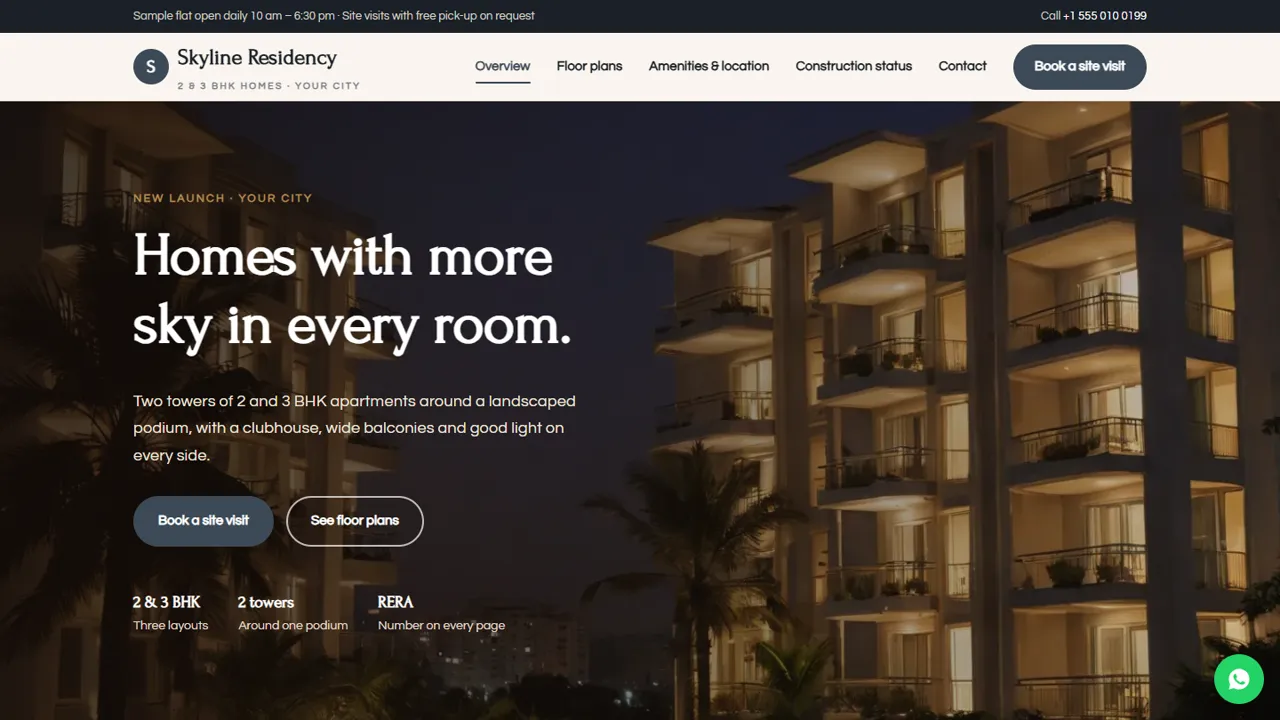
The overview page sets the scene with the project's address, a 'choose your home' block for the 2 BHK, 3 BHK and 3 BHK + Study homes, and what daily life looks like: an open podium, clubhouse, gated security and road connections. The floor-plans page gives each configuration its carpet area, rooms and price note, followed by the specifications for flooring, kitchen, doors and windows, electrical work and water storage. The amenities and location page lists what is inside the gate, from the pool, gym and community hall to the play area, power back-up and parking, then roads and travel, schools and hospitals, and work and shopping nearby. The construction-status page carries a sample monthly update, a tower-wise progress table and four booking steps: site visit, cost sheet, booking and agreement. The visit page explains what to expect at the sales office, and the contact page has a message form and map. Areas, specifications and progress in the demo are samples for your own project details.
- Overview, floor plans, amenities and location, construction status, site visit and contact pages
- Visit slots from 10 am to 5 pm
- 'Price list and brochure only' option for buyers not ready to visit
- A custom 404 page
Where site-visit leads go
Every site-visit request and contact message is saved in the Enquiries inbox at your-domain.com/admin/ and emailed to your sales team. The inbox shows the configuration the buyer chose, the date and time they want to visit and any notes, such as a pick-up request or loan question, and exports to CSV for your CRM or a daily call list. In the admin you also set the sales office phone, WhatsApp number and its opening message, address and map pin, office hours, social links and colours, and switch on live chat, Google Analytics, Tag Manager or the Meta Pixel to measure ad campaigns. An announcement bar suits a launch offer or a sample flat opening. Floor plans, RERA details and the progress table are edited in the HTML files.
- Leads saved and emailed
- CSV export for your CRM
- Meta Pixel and Tag Manager for ad tracking
- Announcement bar for launch news
In the download, and hosting
You receive the seven HTML pages, stylesheet, JavaScript, photos, the PHP form handler, the admin panel and an illustrated installation guide. Any cPanel or shared hosting with PHP 7.4 or later runs it: upload, create the admin login and paste your licence key to switch the forms on. The key activates one live domain, such as your project domain, and a test copy on your own computer needs no key. SQLite is created on first run, MySQL is optional, and email uses PHP mail() or your SMTP server.
- Plain HTML, CSS, JavaScript and PHP
- No WordPress or database setup
- No monthly software fee
What stays with your sales team
The site shows no unit-wise availability, does not generate cost sheets or payment plans, and takes no booking amount online. It holds one project; for several projects you would buy another copy or ask for custom work.
- No live unit inventory
- No cost sheets
- No online booking payments
More ready-made websites
Built by the same team, with the same setup service and support.
Browse every ready-made website, or compare our custom website packages if you need a site designed from scratch. Want more guests to find you on Google Maps? See our local SEO service, or talk to our web design team.



