WooCommerce pluginDownload free version
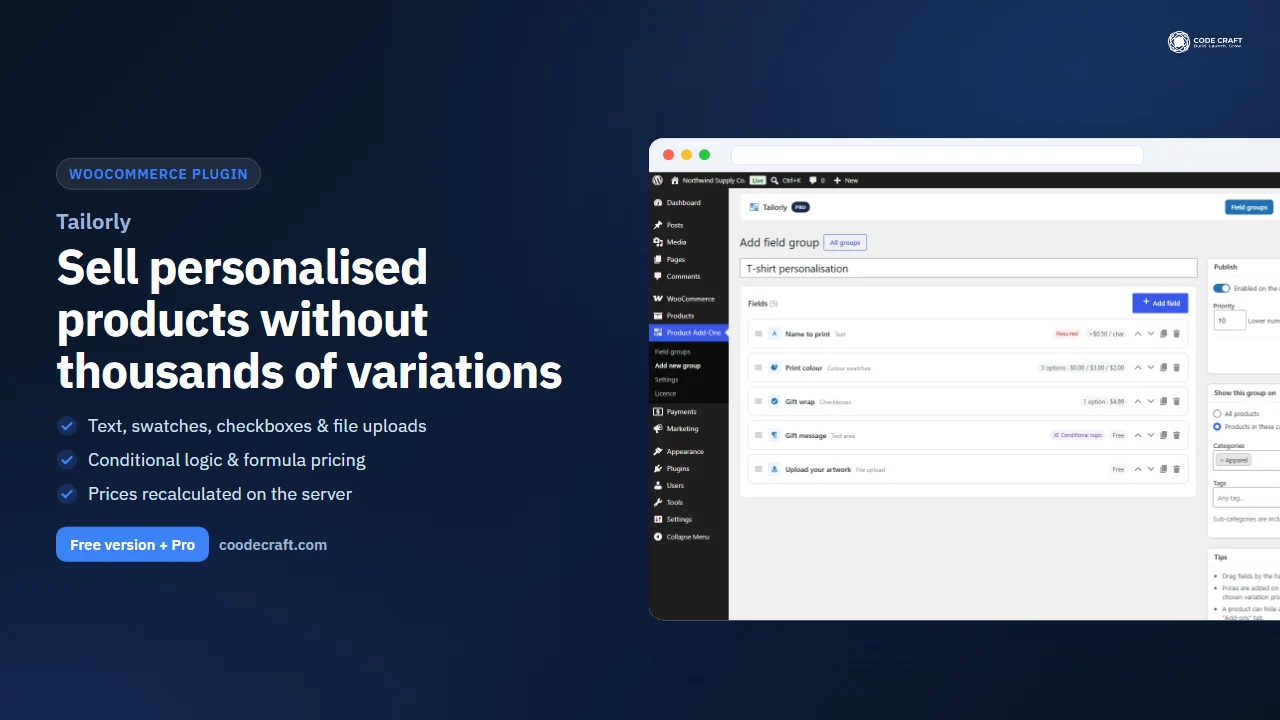
Tailorly — WooCommerce Product Add-Ons
No reviews yet
from$9.00/mo
AI-powered recovery for abandoned carts & unpaid orders — automatic emails, coupons, guest capture and an AI Copilot
Get a Abandoned Cart Recovery for WooCommerce Pro key by email and use every Pro feature for 7 days on one site. No card needed, nothing renews automatically — when the trial ends, Pro switches off unless you choose a plan. One trial per email.
Choose 1 year or 2 years — your key and download link are emailed instantly.
Upload the zip in wp-admin. The free core works right away.
Paste it in the plugin's License tab to activate.
Pro features, updates and priority support switch on.
See the recovery dashboard, the email sequence and editor, pending-order reminders and settings, then send a recovery email to a guest and watch one click restore her cart at checkout.
Download the PDF user guideThe free core is a real, working plugin — not a trial that expires. Pro unlocks the advanced modules with a licence key, and nothing you build on free is lost when you upgrade.
Everything most sites need. No account, no email required — download and install.
.zip · v1.1.0 · 0 downloads
Same plugin, every module unlocked by your licence key — plus updates and priority support.
Already bought it? Enter your key:
Or sign in — every licence you own shows up there.
| Feature | Free | Pro |
|---|---|---|
| Abandoned cart tracking (customers & guests) | Included | Included |
| Guest email capture popup & checkout capture | Included | Included |
| Automatic & manual recovery emails | Included | Included |
| Personalisation variables & one-click cart restore | Included | Included |
| Email templates | Up to 3 | Unlimited |
| Recovery dashboard & email logs | Basic | Advanced + CSV |
| Unique auto-expiring coupons | Not included | Included |
| Pending & failed order recovery | Not included | Included |
| User-role targeting & B2B / wholesale exclusion | Not included | Included |
| Exclude products & categories | Not included | Included |
| AI Copilot — Approval, Advisory & Automatic modes | Not included | Included |
| AI email templates (also from an image) | Not included | Included |
| MCP abilities for AI tools (needs WordPress 6.9+ and the MCP Adapter plugin) | Not included | Included |
| REST API | Not included | Included |
| Updates & email support | Not included | While the licence is active (1 or 2 years) |
| Keeps working without a licence | Included | Free features yes; Pro switches off until renewed (data kept) |
Upgrading is just entering a key — same plugin, same settings, nothing to reinstall or migrate.
Many visitors who add something to their cart never finish checking out. Abandoned Cart Recovery for WooCommerce saves the cart of every logged-in customer, and of every guest whose email address is known, whenever the cart changes. Once a cart has been idle for the time you set under Cart Recovery → Settings → General (60 minutes by default, in minutes, hours or days), the next cron run marks it abandoned and your active templates start going out in order of their delay. Each email carries a signed recovery link: one click empties the visitor's current cart, adds the saved products back with the same quantities and variations, applies any coupon from that email and redirects to the checkout (or the cart page, if you prefer). When the order is paid, the cart is marked recovered, the revenue is credited to the email that brought the customer back, and no further emails are sent for that cart. It is built for WooCommerce store owners who want recovery emails running inside their own WordPress site, without a separate SaaS subscription.
Under Settings → Users & Guests you pick how guest carts are handled. Never records no guest carts at all. Checkout only captures the email when the guest types it on the checkout page, on the classic checkout and on the Cart & Checkout blocks. The two Pre Capture modes show a small popup, after a product is added to the cart, on the cart page, or both, asking for an email address so the cart can be saved. With 'Pre Capture with privacy text' (the default) the popup shows your privacy title and text next to a checkbox, and the email is not saved unless the box is ticked. If the guest closes the popup, it stays hidden for the number of days you choose and the email can still be picked up later from the checkout field. You can edit the popup title, description, button text and accent colour.
Templates are written in the visual editor or as custom HTML. Each one has a subject, heading, delay after abandonment and an active switch, and can be sent automatically or kept for manual sending from a cart. Personalisation variables fill in the customer's name, the cart subtotal, a cart table with product thumbnails, a ready-made recovery button and the coupon details. Emails written in the visual editor use either the Modern branded layout (with your logo, brand colour and button colour) or the standard WooCommerce email template, chosen under Settings → General; custom HTML designs are sent exactly as written. The editor previews the email at desktop and mobile widths using sample data, and you can send yourself a test before switching a template on. The plugin ships with three starter templates: an abandoned cart email after 1 hour (active), a 10% coupon reminder after 1 day and a pending order reminder after 2 hours (both inactive until you turn them on).
In Pro, any template can generate a fresh WooCommerce coupon each time it is sent: a percentage or fixed cart discount, valid for the number of days you set on the template. Each code is tied to the recipient's email address and limited to one use, so it is no use to anyone else. The Coupons settings tab controls the code prefix, individual use, free shipping, excluding sale items, a minimum spend, and whether generated coupons are moved to the trash once used or once expired. Pro also follows up on unpaid orders: choose which order statuses count (pending payment and failed by default, and you can add others such as on-hold), a maximum order age (30 days by default) and whether guest orders are included. The reminder email links straight to WooCommerce's pay-for-order page.
The Copilot is a chat panel on the plugin's admin screens, available to users who can manage WooCommerce. It uses an API key you add under Cart Recovery → AI Assistant for Anthropic Claude, Google Gemini or OpenAI, or the WordPress AI connector on sites that provide one (WordPress 7.0+). You pay the provider directly. It can draft and edit templates, create coupons, change settings, analyse your recent results and, with your approval, send a manual recovery email. Attach a screenshot of an email design you like and it writes a matching responsive HTML template in your brand colours (images work with Claude, Gemini and OpenAI). Approval mode (the default) queues every change for you to accept or deny, Advisory mode never changes anything and gives step-by-step instructions instead, and Automatic mode applies the changes you asked for straight away. Customer emails still need approval in Automatic mode unless you turn that option off. Every action goes into an audit log; settings, template and coupon changes can be undone, emails that were sent cannot.
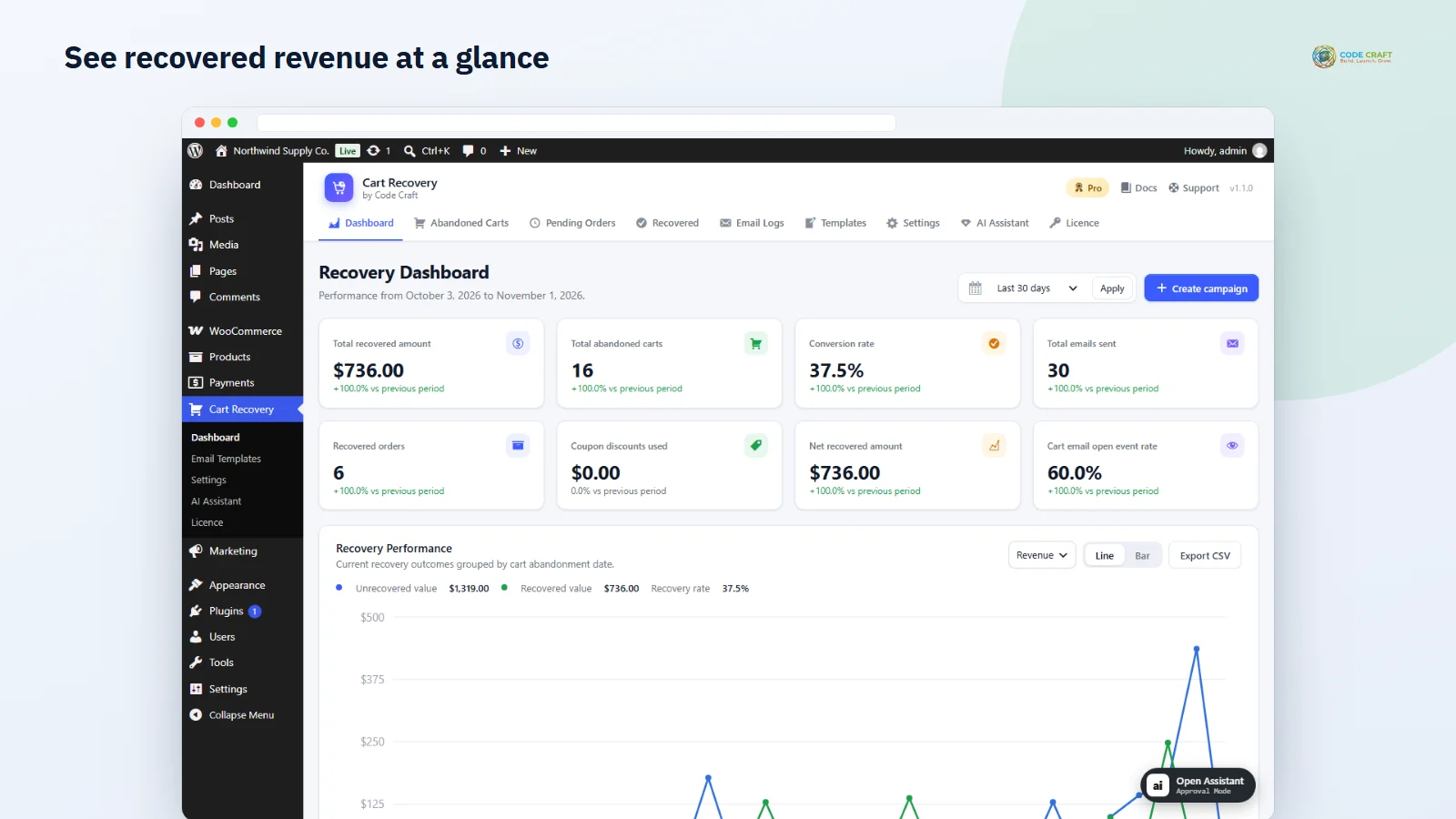
Every edition has a dashboard with KPI cards and a performance chart for the selected date range, plus separate lists for abandoned carts, recovered carts and the email log. Lists can be searched and filtered, carts can be deleted in bulk, and each cart has a detail view showing its products and a timeline of when it was abandoned and when each email was sent, opened and clicked. A Send Email button sends any template manually. Opens are tracked by a 1×1 pixel and clicks by the recovery link, so open rates are approximate when email clients block images. Pro adds the pending orders list, a recovery funnel, per-template campaign performance, top abandoned products, coupon impact, top opportunities and a CSV export of the daily figures.
Pro registers a REST API under /wp-json/ccacr/v1 for stats, carts, pending orders, templates, logs and settings, open only to users with the manage_woocommerce capability. On WordPress 6.9 or later, Pro also registers its tools with the WordPress Abilities API: read tools such as recovery stats, cart lists, templates, logs and settings, and write tools that update settings, create or edit templates, create coupons and send recovery emails. With the official MCP Adapter plugin installed, MCP clients such as Claude Desktop, Claude Code and OpenAI Codex can call them using the connected user's permissions. Write tools can be switched off, and emails requested over MCP are queued for approval by default. Developers can hook into the plugin's own actions and filters, including ccacr_cart_recovered, ccacr_order_recovered, ccacr_email_sent, ccacr_processed, ccacr_email_vars, ccacr_settings_schema and ccacr_copilot_system_prompt.
From version 1.1.0 the plugin uses the same licence client as our other WooCommerce plugins. Pro is unlocked only by an active licence key from coodecraft.com, checked once a day. Yearly and 2-year licences switch the Pro features off when they end and back on as soon as you renew: a notice appears a few days before the end date, an 'Ended — Renew now' notice after it, and an 'I have paid — check again' button on Cart Recovery → Licence switches Pro back on straight after payment. Refunded or revoked keys also switch Pro off. The Free features keep working throughout, and your carts, templates, settings and logs are always kept. While Pro is off, Pro-only emails pause instead of going out without their Pro rules: pending-order reminders, coupon emails, templates limited to roles or products, and templates beyond the Free limit of 3. If you used version 1.0, the key it saved is moved over and checked again automatically, so you do not need to type it again. The main plugin file was renamed in 1.1.0, so after uploading 1.1.0 over 1.0 you activate the plugin once more under Plugins; nothing is lost.
The plugin needs WordPress 6.2 or later, WooCommerce 7.0 or later and PHP 7.4 or later. Version 1.1.0 was tested on WordPress 7.1 with the current WooCommerce release (11.2) on PHP 8.3. Emails are sent through wp_mail or the WooCommerce mailer, so delivery depends on your site's mail setup; an SMTP plugin is recommended. Processing runs on WP-Cron every 5 minutes by default, sending up to 50 emails per run, and WP-Cron only fires when the site gets visits. For exact timing, turn on 'Use Server Cron' and call the secret cron URL from your hosting. Things it does not do yet: SMS or WhatsApp reminders, A/B testing of templates, WordPress personal-data export and erase tools for cart records, and network-wide multisite settings (activate it and its licence per site).
Most stores running Abandoned Cart Recovery for WooCommerce pair it with these. Every plugin below shares the same licence system, coding standards and support team.