
Ride Cabs — Taxi & Cab Service Website
A ready-made taxi website with fleet and per-km fares, airport, local and outstation packages, and cab booking
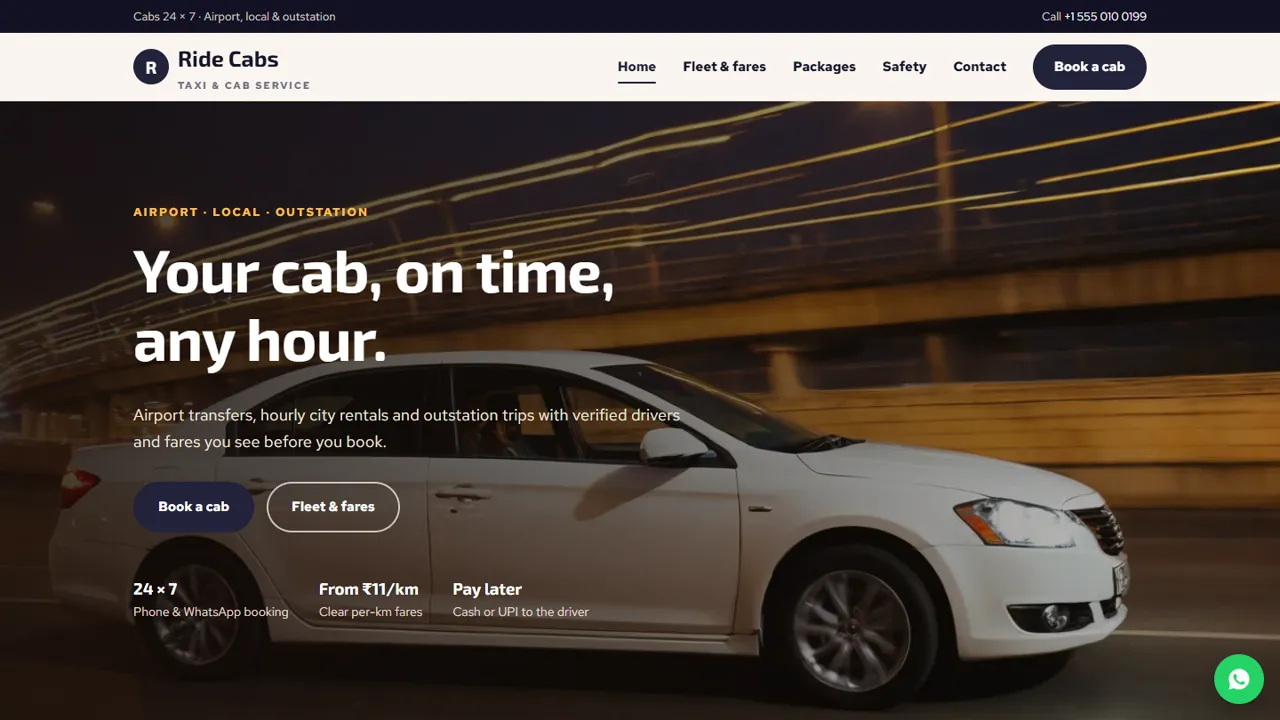
Everything included
- Fleet cards with seats, luggage and per-km fares
- Fare chart for outstation, airport and local trips
- Airport, local hourly and outstation packages in tabs
- Cab booking form with pickup address and passengers
- Safety and policies page: waiting, cancellation, night charges
- LocalBusiness schema, titles and meta descriptions
- Admin panel for your details, currency, chat and enquiries
- Colours and fonts changed from one CSS block
From order to a live website
- 1
Choose a package
Code only, We set it up, or Customised. All prices are one-time.
- 2
Pay securely
Your download link is emailed once payment is confirmed and also appears in My Account.
- 3
We contact you
For setup packages we email within one business day for your cPanel / hosting login and domain.
- 4
Live on your domain
Your cab service site runs on your own hosting, with booking requests arriving in your inbox.
Fares people can see before they call
Riders compare cab services on price and reliability. Ride Cabs shows your cars with seats, luggage space and per-km fares, a fare chart, and airport, local and outstation packages, with tolls, driver allowance and night charges explained in plain words.
- Fleet cards for each car type
- Fare chart table
- Packages in tabs by trip type
- Policies page for waiting and cancellation
Turn visitors into bookings
The booking form asks for the trip type, pickup address, number of passengers, date and time, with a message box for the destination, flight number and preferred car. The request arrives in your inbox and you confirm the driver and car by phone or WhatsApp.
- Trip types grouped: airport, local, outstation
- Pickup address and passenger count
- Destination and car preference in the message
- Spam trap and input checks
Easy to keep up to date
Fares are plain HTML table rows and package lists, so a fuel-price change takes a minute in any text editor. Colours and fonts are set in one place, and schema, titles and descriptions are ready for Google.
- Fares as simple rows
- Packages as editable lists
- LocalBusiness schema markup
- Colours and fonts in one CSS block
Who it suits
Ride Cabs is written for a small or mid-sized cab operator: a fleet owner with a few cars and drivers, a travel desk that runs airport drops, or a car-with-driver service that does weekend outstation trips. It suits a business that takes bookings by phone and WhatsApp today and wants a site that explains the fares and policies before the customer calls, so fewer calls are spent on the same questions.
- Local taxi and cab operators
- Airport transfer services
- Outstation car-with-driver services
- Travel desks with their own cars
Every page, and what a rider does there
The home page leads with Book a cab and Fleet & fares buttons, four service cards (airport, local hourly, outstation, verified drivers), the three car cards, an airport-runs section and an outstation call to action. Fleet & fares has the car cards and a fare chart with outstation per-km, airport, 8-hour local and extra-hour rates, plus a note on tolls, state tax and night charges. Packages lists airport, local and outstation fares in tabs, with a four-step 'how booking works'. Safety covers driver and car checks and six policy cards. Contact has the address, a map and a short message form.
- Home, Fleet & fares, Packages, Safety, Book a cab and Contact
- A 404 page, sitemap.xml and robots.txt
- Sample rider quotes on the home page, to replace with your own or remove
- All fares are sample figures you change
Booking requests in your admin
Each request from the booking page is emailed to the address you set and also saved in the admin's Enquiries inbox, with the trip type, pickup address, passengers, date, time and message, so a booking does not go missing if an email lands in spam. From the admin you also set your phone, WhatsApp number and the text the floating WhatsApp button starts with, your 24-hour booking line and office hours, the map location and your colours. Riders from abroad can switch the fare display to another currency at rates you enter.
- Bookings saved and emailed, with CSV download
- WhatsApp button message set in the admin
- Announcement bar for festival or fuel-price notices
- Google Analytics, Tag Manager or Meta Pixel when you need them
What you get and what it needs
The zip holds the HTML pages, the stylesheet and script, photos, send.php and config.php for the forms, the admin panel and an .htaccess file, with an illustrated installation guide and a README. You upload it to any cPanel or shared host with PHP 7.4 or later, put your email in config.php, open /admin/ to create your login and paste your licence key. Ride Cabs does not show a live map, calculate a fare from distance, assign drivers, send SMS or take advance payment: the page tells riders to pay the driver by cash or UPI.
- No database to create: SQLite is built in
- No WordPress, Node.js or app store listing
- Fares and policies edited in plain HTML
- Online payment is not part of this template
More ready-made websites
Built by the same team, with the same setup service and support.
Browse every ready-made website, or compare our custom website packages if you need a site designed from scratch. Want more guests to find you on Google Maps? See our local SEO service, or talk to our web design team.



