
Sur — Music School Website
A ready-made music school website with instrument and vocal courses, fees, faculty, a lesson timetable and demo class booking
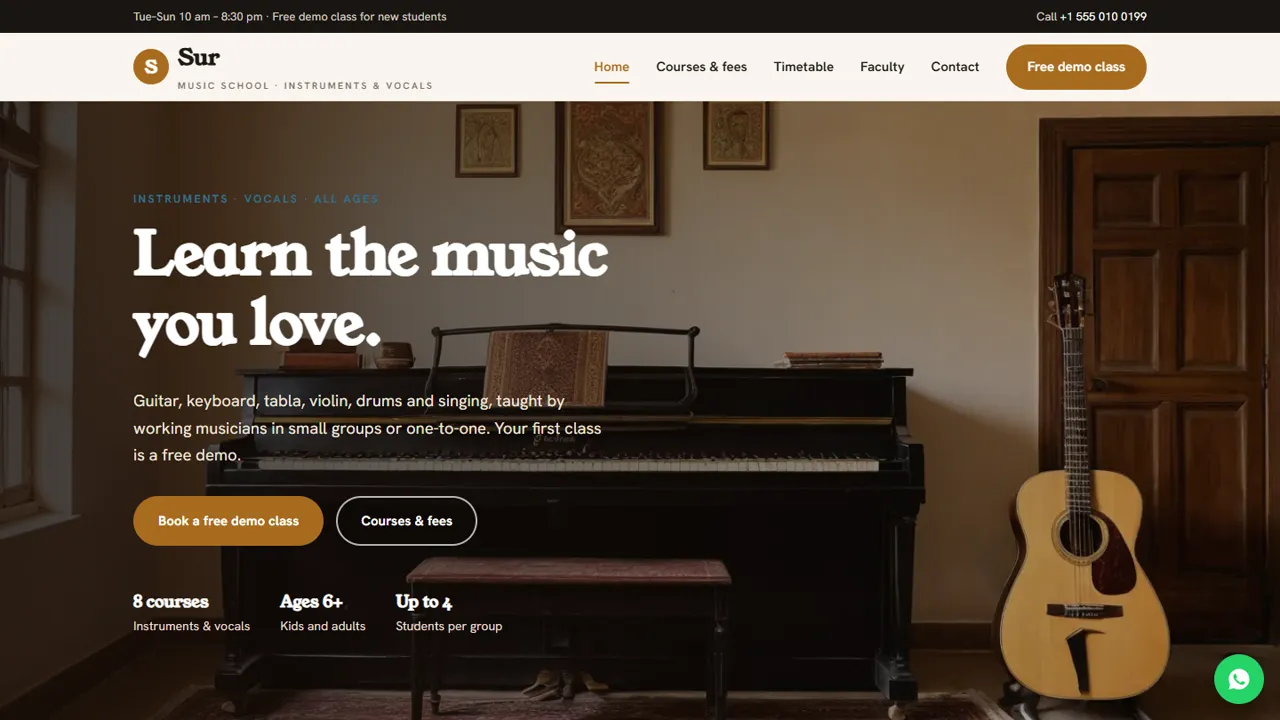
Everything included
- Instrument and vocal course cards
- Tabbed fee list for instruments, vocals and private lessons
- Group lesson timetable table
- Faculty cards with photo, subjects and experience
- Free demo class booking form to your inbox
- Sample testimonials, clearly marked to replace
- Admin panel for your details, currency, chat and enquiries
- Colours and fonts changed from one CSS block
From order to a live website
- 1
Choose a package
Code only, We set it up, or Customised. All prices are one-time.
- 2
Pay securely
Your download link is emailed once payment is confirmed and also appears in My Account.
- 3
We contact you
For setup packages we email within one business day for your cPanel / hosting login and domain.
- 4
Live on your domain
Your music school site runs on your own hosting, with demo class requests arriving in your inbox.
What students and parents ask first
People looking for music lessons want to know which instruments you teach, what it costs per month, when the batches run and who the teachers are. Sur answers each on its own page, with a Free demo class button on every screen.
- Home page with course cards and how lessons work
- Fees in tabs: instruments, vocals, one-to-one
- Group lesson timetable
- Faculty cards and a contact page with map
From visitor to demo class
The demo form asks for the course, a date and a time, plus notes for the student's name, age and experience. The request lands in your inbox and you confirm by phone or WhatsApp.
- Free demo class booking form
- Courses grouped as instruments and vocals
- Notes for age and experience
- Spam trap and input checks
Easy to keep up to date
Fees are plain rows grouped in tabs, the timetable is a simple table and faculty are three cards, so a fee change takes a minute in any text editor. EducationalOrganization schema, titles and descriptions are ready for Google.
- Fee list as simple rows
- Timetable as a plain HTML table
- EducationalOrganization schema markup
- Colours and fonts in one CSS block
Who it is for
Sur suits a music school or academy teaching both Indian and Western music, a single teacher who runs group batches from home or a studio, and a performing musician who teaches on the side. The sample copy covers guitar, keyboard and piano, tabla, violin, drums and three vocal styles for children and adults, so you keep the courses you teach and delete the rest.
- Music schools and academies
- Private music teachers
- Vocal and classical music gurus
- After-school music classes
What visitors find on each page
The home page leads with three quick facts (number of courses, age range, group size), four reasons to learn here, four course cards with photos, a 'how lessons work' block about weekly practice plans and student concerts, a sample testimonials section and a demo-class call-out. The courses page is the tabbed fee list with a note on the registration fee, sibling and two-course discounts and separate exam-board fees, all marked indicative. The timetable page lists each group batch with its days, timing and who it is for, plus the make-up class rule. The faculty page has three teacher cards with their instruments and years of teaching, and an 'our approach' block that mentions visiting specialist teachers. The demo page holds the booking form and three steps of what happens in the demo. Contact has a map and a message form.
- Home, Courses & fees, Timetable, Faculty, Demo class, Contact and 404
- Make-up lesson rule on the timetable
- Sample testimonials marked in the code
- WhatsApp button with a ready-written enquiry
Demo bookings and the admin panel
The demo form takes a name, phone, optional email, the course (grouped as instruments and vocals), a date, a time slot in the morning or evening, and notes for the student's name, age and experience. It tells families the demo is free, about 30 minutes, and needs no instrument. Each booking is emailed to you and saved in the Enquiries inbox at /admin/, with a CSV download, so admission calls can be made from one list. In the admin you set the school name, logo, phone, WhatsApp, address, map, class hours, social links and colours for every page, and can show an announcement bar for a new batch, the annual concert or holiday timings, add live chat, or connect Google Analytics, Tag Manager or the Meta Pixel.
- Demo bookings by email and in the admin
- CSV download of enquiries
- Announcement bar for new batches
- Spam trap on every form
What is in the zip and setup
You get seven HTML pages, the stylesheet and JavaScript, the PHP form handler and admin panel, photos, an .htaccess file, a README and an installation guide. Upload to public_html, set your email in config.php, create your admin login, paste your licence key and send a test booking. Any cPanel or shared hosting with PHP 7.4 or later will do, and there is no WordPress or database server to install. The README says where courses, fees, batches and teachers live and reminds you to keep the demo form's course list in step.
- Plain HTML edited in any text editor
- Built-in SQLite, nothing to set up
- Optional setup on your hosting
What it does not do
Sur is a public website for your school. It has no fee payment, student login, attendance register, lesson scheduler or practice tracker, and it does not sell instruments. Fees are collected and batches assigned by you. Replace the sample testimonials with real ones or delete them, and do not publish exam results you cannot back up.
- No online fee payment
- No student portal or attendance
- Batches confirmed by you
More ready-made websites
Built by the same team, with the same setup service and support.
Browse every ready-made website, or compare our custom website packages if you need a site designed from scratch. Want more guests to find you on Google Maps? See our local SEO service, or talk to our web design team.



