
Petal & Stem — Florist & Bouquet Shop Website
A ready-made florist shop with bouquet variants, delivery zones, COD, UPI QR, a same-day delivery note and an event decor enquiry page
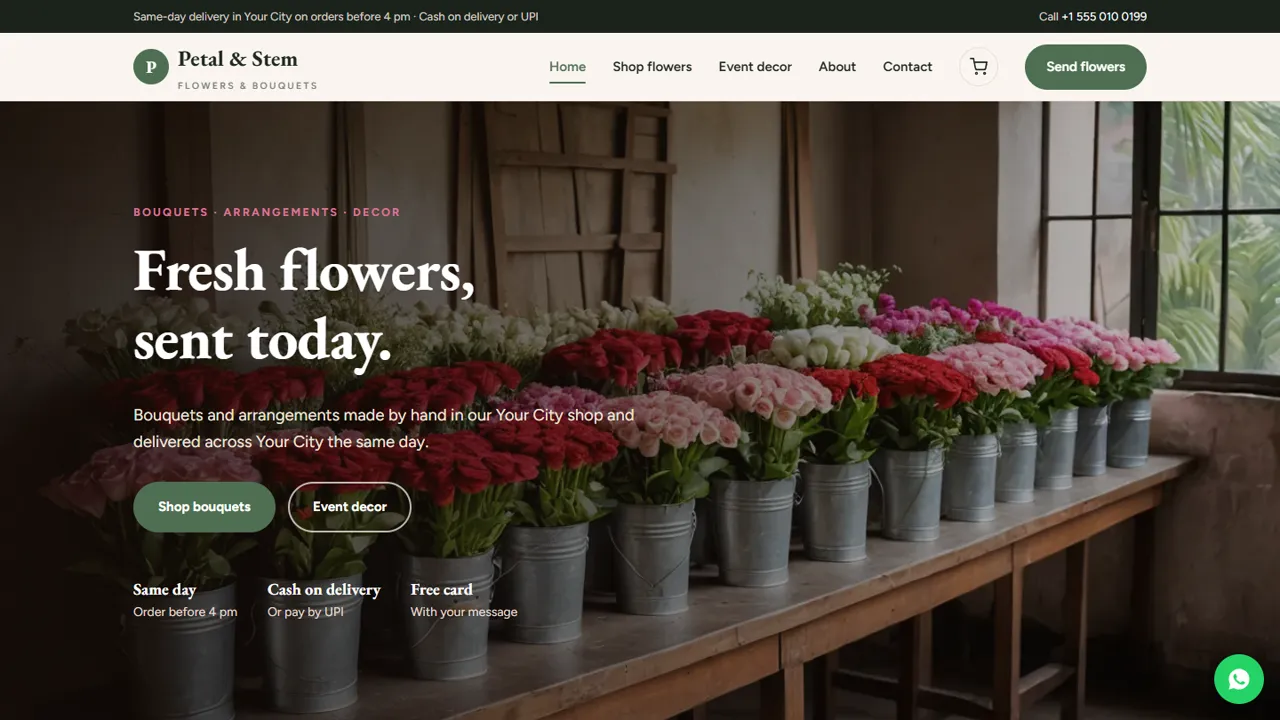
Everything included
- Bouquet shop with search, filter and sorting
- Bouquet sizes as variants with their own price
- COD, bank transfer, UPI QR and shop pickup
- Card message and delivery date in the order note
- Delivery zones by area or postcode
- Same-day delivery cut-off shown across the site
- Event decor page with an enquiry form
- Order status, tracking and status emails
From order to a live website
- 1
Choose a package
Code only, We set it up, or Customised. All prices are one-time.
- 2
Pay securely
Your download link is emailed once payment is confirmed and also appears in My Account.
- 3
We contact you
For setup packages we email within one business day for your cPanel / hosting login and domain.
- 4
Live on your domain
Your flower shop runs on your own hosting. Orders are managed in the admin and emailed to you, and decor enquiries arrive in your inbox.
Sell bouquets online without a monthly store fee
Petal & Stem is a florist shop you own outright: a home page with featured bouquets, a shop page with search, category filter and sorting, a page for every product, a cart and a checkout. Customers pay cash on delivery, by UPI or bank transfer, or collect from the shop, and write the card message, recipient and delivery date in the order note.
- Shop with Roses, Bouquets, Arrangements and Garlands
- Bouquet sizes as variants, each with its own price
- Coupon codes for festival days
- Guest checkout or a customer account
Built around same-day delivery
Flowers are usually bought for today. The same-day cut-off (4 pm in the demo) appears in the top bar, the footer, the home page, the cart and the delivery page, and the README tells you every place to change it. Delivery charges are set per area or postcode in the admin, and each order arrives by email with the delivery address and the customer's note.
- Cut-off time shown across the site
- Delivery zones with their own charges
- 'Send this order on WhatsApp' in the cart
- Delivery, substitution and refund page (sample text)
Event decor enquiries
Wedding and event decor is often a florist's biggest work. The decor page lists the occasions you cover, explains how a visit and quote work, and has an enquiry form with the event type, date and time, so you get the details you need to call back.
- Six occasion cards you can edit
- Enquiry form with event date and time
- Three-step visit and quote process
- Photo gallery of your work
Run the shop from the admin
Products, orders and customers live in a database: SQLite is built in, MySQL is optional. On first run it is filled with the demo products, which you edit or delete in Admin → Shop. Every price, discount, delivery charge, fee, tax and total is recalculated on the server when an order is placed, and an order whose total was changed in the browser is refused.
- Products with photos, gallery, variants, sale price and stock
- Coupons: percent or fixed, minimum spend, expiry and usage limits
- Shipping zones and tax rates by country or region
- Orders: status, tracking, status emails, invoice and CSV export
About, account and policy pages
The about page tells your story and walks customers from market to doorstep in four steps: bought fresh, conditioned, tied to order and delivered with care. Customers who make an account can sign in and see their past orders on the account page. The delivery page is sample text with sections for same-day delivery, payment, substitutions when a flower is not available, and freshness and refunds; rewrite it with your own rules before launch. The contact page has your address, a map and a message form.
- Four-step market-to-doorstep story
- Account page with order history
- Substitution and freshness policy (sample)
- Contact page with map
Where orders and decor enquiries arrive
New bouquet orders come by email and appear in Admin → Shop → Orders with the recipient, address and card message from the order note. Decor enquiries, with the event type, date, time, venue and rough budget, and contact messages go to your inbox and the Enquiries list, which downloads as a CSV. The zip holds the HTML pages, the PHP shop engine and admin, the demo products, the form handler, photos, a README and an installation guide for any cPanel host with PHP 7.4 or later.
- Orders in Admin → Shop → Orders
- Decor enquiries in the Enquiries inbox
- Shop name, phone and hours set in the admin
- Licence key switches checkout on
What it does not do
Petal & Stem does not book fixed delivery slots automatically or stop orders after the cut-off: the cut-off is a note, and you confirm the delivery time on the call. It does not take card payments on its own. Razorpay, Stripe, PayPal and Cashfree are separate add-ons with their own licence, tested against mocked gateway responses, not real payments.
- Built in: COD, UPI QR, bank transfer, shop pickup
- Delivery time: confirmed by you
- Card payments: separate add-ons
More ready-made websites
Built by the same team, with the same setup service and support.
Browse every ready-made website, or compare our custom website packages if you need a site designed from scratch. Want more guests to find you on Google Maps? See our local SEO service, or talk to our web design team.



