
Smile Studio — Dental Clinic Website
A ready-made dental clinic website with treatments, indicative fees and appointment requests
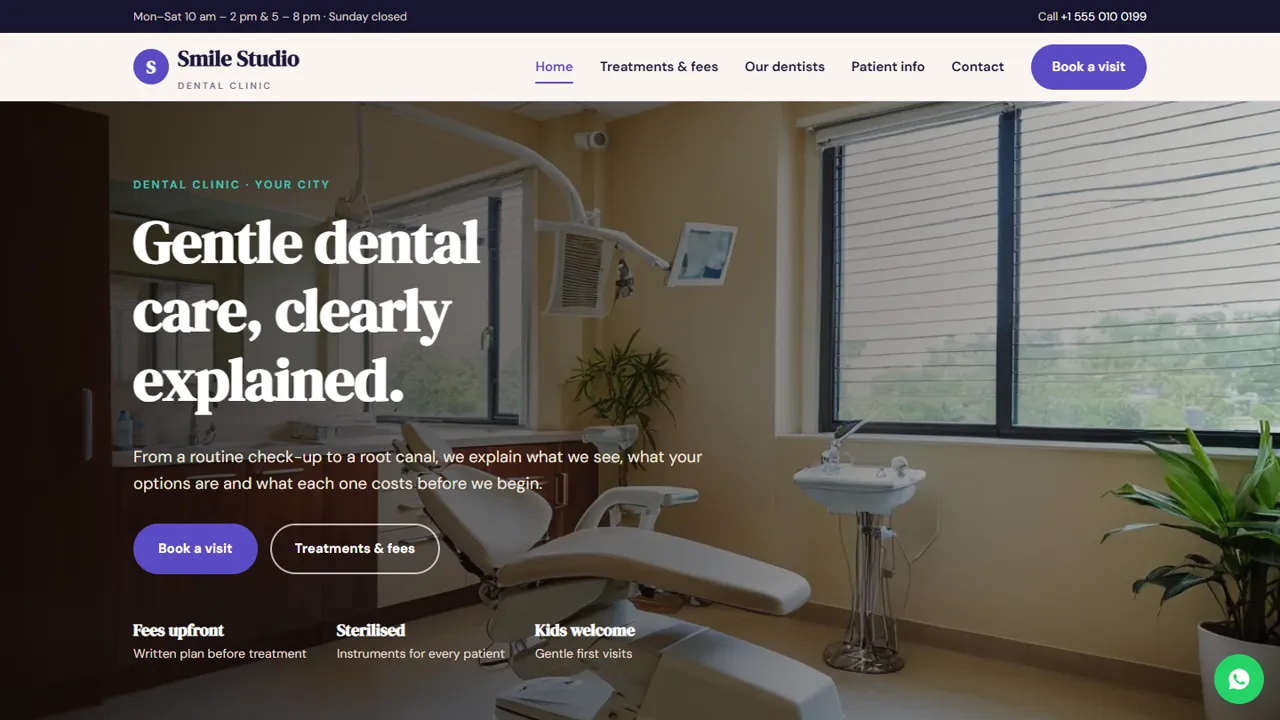
Everything included
- Treatment list with indicative fees
- Dentist profiles with qualifications
- Appointment request form by treatment
- First-visit, payment and FAQ page
- Home, treatments, dentists, patient info and contact pages
- Dentist schema, titles and meta descriptions
- Admin panel for your details, currency, chat and enquiries
- WhatsApp and click-to-call on every page
From order to a live website
- 1
Choose a package
Code only, We set it up, or Customised. All prices are one-time.
- 2
Pay securely
Your download link is emailed once payment is confirmed and also appears in My Account.
- 3
We contact you
For setup packages we email within one business day for your cPanel / hosting login and domain.
- 4
Live on your domain
Your dental clinic site runs on your own hosting, with appointment requests arriving in your inbox.
Answer the questions patients ask first
New patients want to know what you treat, roughly what it costs, who the dentist is and what happens at the first visit. Smile Studio gives each its own page, with a clear Book a visit button on every screen.
- Treatments with indicative fees
- Dentists with qualifications
- First visit, payment and FAQs
- Contact page with map and hours
Appointment requests to your inbox
The appointment form lists your treatments plus options for tooth pain or a first check-up, with a date, a time and notes. The request is emailed to you and your front desk confirms by phone or WhatsApp.
- Treatment choice
- Date and time slots
- Notes for pain, conditions or allergies
- Spam trap and input checks
Careful wording for a dental practice
The demo has no patient testimonials, no before/after photos and no promises about results. Fees are shown as indicative starting prices, and a notice says the information is general and not dental advice. The README reminds you to check your dental council's advertising rules.
- No testimonials or result claims
- Fees marked as indicative
- Not-dental-advice notice
- Dentist schema markup
What patients see on each page
The home page presents dentistry for the whole family: check-ups and cleaning, fillings and root canals, braces and aligners and children's dentistry, with popular treatments, clinic hours, a map and two short prompts for patients with tooth pain or a check-up due. The treatments page lists indicative fees in groups: check-ups and X-rays, root canals and crowns, extractions, bridges, dentures and implants, braces and clear aligners, children's care such as fluoride and sealants, and whitening. The about page has a card for each dentist, the clinic team and a section on sterilisation, written plans, gentle care, evening slots and family-friendly visits. The patient information page explains the first visit step by step, how paying for treatment works, what to bring and common questions such as whether it will hurt or whether the website fee is final. The dentist names, qualifications and fees in the demo are samples to replace.
- Home, treatments, dentists, patient information, appointment and contact pages
- Morning and evening appointment times
- Tooth-pain and check-up-first options on the form
- A custom 404 page
The front desk's admin panel
Appointment requests and contact messages are saved in the Enquiries inbox at your-domain.com/admin/ and emailed to the clinic address. The front desk sees the treatment asked for, the preferred date and time and the patient's notes, can download the list as a CSV, and calls back to fix the slot. Because patients may mention pain, conditions or allergies in the notes, keep the admin login private and clear old enquiries you no longer need. The admin is also where you set the clinic name, logo, phone, WhatsApp number and greeting, address and map, clinic hours, social links and colours, choose the currency for your fees, and add live chat, Google Analytics or a cookie notice. Treatment fees and dentist profiles are edited in the HTML files.
- Appointment requests saved and emailed
- CSV download
- Cookie notice and SEO defaults
- Maintenance mode while you edit
What you get and where it runs
The zip has the seven HTML pages, stylesheet, JavaScript, photos, the PHP form handler, the admin panel and an illustrated installation guide. It runs on any cPanel or shared hosting with PHP 7.4 or later. Upload, create your admin login, then paste your licence key to switch the forms on; one key covers up to three domains. SQLite is created automatically, MySQL is optional, and email goes out by PHP mail() or SMTP.
- Plain HTML, CSS, JavaScript and PHP
- No WordPress or database setup
- No monthly software fee
Limits to know
This is a clinic website, not practice-management software. It has no live slot calendar, patient records, treatment charts, reminders or online payments, and an appointment is confirmed only when your team calls back. It is not built as a medical records system, so do not ask patients to send reports or X-rays through it.
- No live slot calendar
- No patient records or reminders
- No online payments
More ready-made websites
Built by the same team, with the same setup service and support.
Browse every ready-made website, or compare our custom website packages if you need a site designed from scratch. Want more guests to find you on Google Maps? See our local SEO service, or talk to our web design team.



