
Brainy Kids — Abacus, Robotics & Coding Classes Website
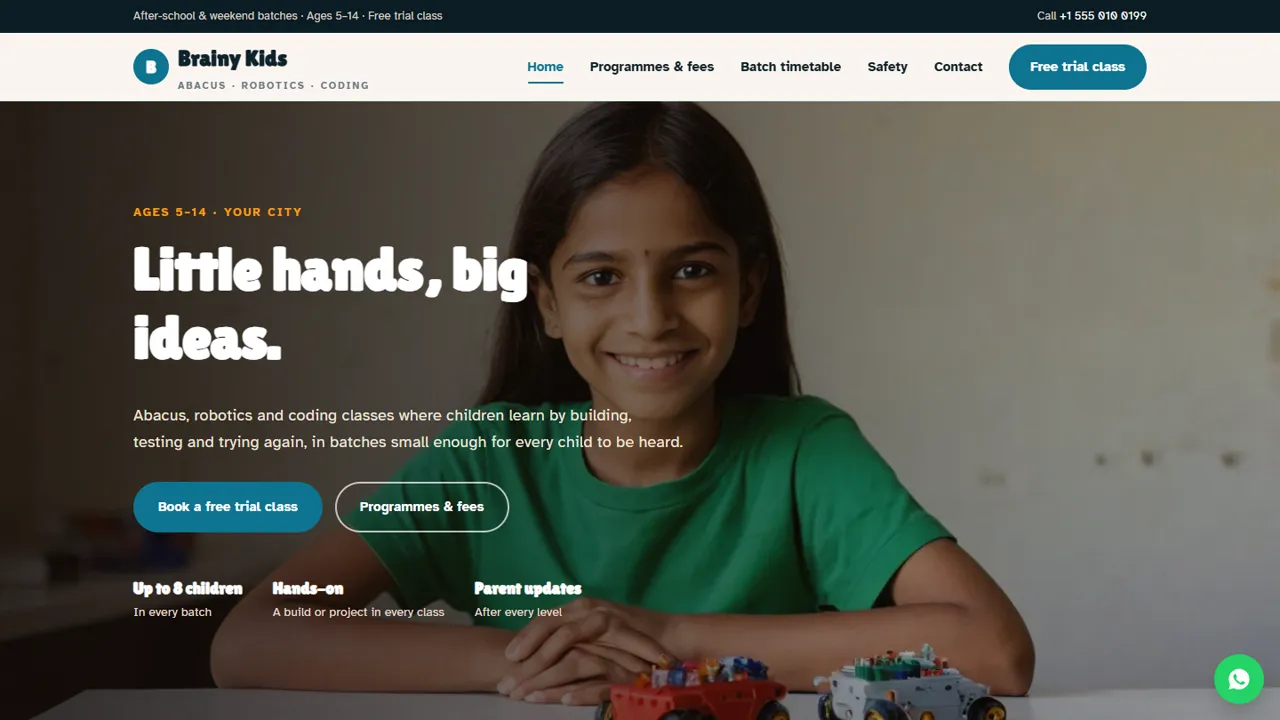
A ready-made website for a kids' activity centre with programmes by age, a batch timetable and free trial booking
Everything included
- Programmes by age group with fees in tabs
- Batch timetable with age, days, timing and seats
- Safety and small-batch page for parents
- Free trial class booking form
- WhatsApp and click-to-call on every page
- EducationalOrganization schema, titles and meta descriptions
- Admin panel for your details, currency, chat and enquiries
- Colours and fonts changed from one CSS block
From order to a live website
- 1
Choose a package
Code only, We set it up, or Customised. All prices are one-time.
- 2
Pay securely
Your download link is emailed once payment is confirmed and also appears in My Account.
- 3
We contact you
For setup packages we email within one business day for your cPanel / hosting login and domain.
- 4
Live on your domain
Your activity centre site runs on your own hosting, with trial requests arriving in your inbox.
What parents check before they call
Parents want to know which class suits their child's age, what it costs, when batches run and whether the centre is safe. Brainy Kids puts each of those on its own clear page, with a Free trial class button on every screen.
- Programmes grouped by age in tabs
- Batch timetable with seat limits
- Safety and small-batch page
- Contact page with map and hours
Turn visits into trial classes
The trial form asks for the programme, a date and a time, plus a notes box for the child's name, age, school class and any learning needs. The request arrives in your inbox and you confirm by phone or WhatsApp.
- Free trial class form
- Programmes grouped by age group
- Notes for the child's age and needs
- Spam trap and input checks
Honest by design
Fees are labelled indicative, the trial page says plainly that results are not promised, and the sample parent reviews are clearly marked in the code for you to replace with real ones or delete.
- Indicative fee wording
- No marks or competition claims
- Sample reviews marked to replace
- Safety facts you can edit to match your centre
What each page shows parents
The home page explains the approach in four points (small batches, learning by doing, progress you can see and a safe space), introduces abacus and mental maths, robotics and coding, and ends with an invitation to try a class first. The programmes page has three age tabs, 5 to 7, 8 to 10 and 11 to 14, each with three programmes and a line on what children do in them, from bead counting and build-and-play kits to Scratch, Python and sensors. Below that sit one-time costs for registration, the abacus kit and level books and the robotics starter kit, and a four-step path from trial class through level classes and a level-end check to a progress report. The timetable lists each batch with age, days, timing and maximum seats. The safety page covers batch sizes, background-checked instructors, child-safe kits with low-voltage batteries, and sign-out pickup only by a registered adult. The trial page says what happens on the day and that the class is free with no obligation.
- Home, programmes, timetable, safety, free trial and contact pages
- Age tabs with fees for each programme
- One-time kit and registration costs listed
- Trial time slots from morning to evening
The admin panel for a children's centre
At your-domain.com/admin/ you set the centre name, logo, phone, WhatsApp number, email, address with map, class hours and social links, and they replace the demo details on every page. Trial bookings and contact messages are emailed to you and saved in the Enquiries inbox with the programme, date and time chosen and the parent's notes on the child's age and class, so whoever answers the phone can see the day's trials and download the list as a CSV. Use the announcement bar for a summer camp or new batch, add the floating WhatsApp button or live chat for parents' questions, connect Google Analytics or the Meta Pixel for local ads, and turn on maintenance mode while you update the term's timetable.
- Trial requests in one Enquiries inbox
- Announcement bar for camps and new batches
- WhatsApp button and live chat for parents
- SMTP email setting in the admin
What you receive and the limits
The zip holds the HTML pages, CSS, JavaScript, the PHP form handler and admin, demo photos and an .htaccess file, with an illustrated installation guide. It runs on any cPanel host with PHP 7.4 or later and creates its small SQLite database on first run. Programmes, fees and batches are edited in the HTML. There is no online fee payment, no attendance or progress tracking, no parent or student login and no automatic seat counting: seat limits are text you keep up to date.
- No WordPress or monthly fee
- No fee payments or student login
- Seat limits updated by hand
Easy to keep up to date
Fees are plain HTML rows and each batch is one table row, so a new batch or fee change takes a minute in any text editor. Colours and fonts are set in one place, and EducationalOrganization schema, titles and descriptions are ready for Google.
- Fees as simple rows
- Timetable as a simple table
- EducationalOrganization schema
- Colours and fonts in one CSS block
More ready-made websites
Built by the same team, with the same setup service and support.
Browse every ready-made website, or compare our custom website packages if you need a site designed from scratch. Want more guests to find you on Google Maps? See our local SEO service, or talk to our web design team.



