
Code Craft Store: Django Ecommerce
A full online store in Django with a real database, variants, multi-currency, coupons and an owner control centre
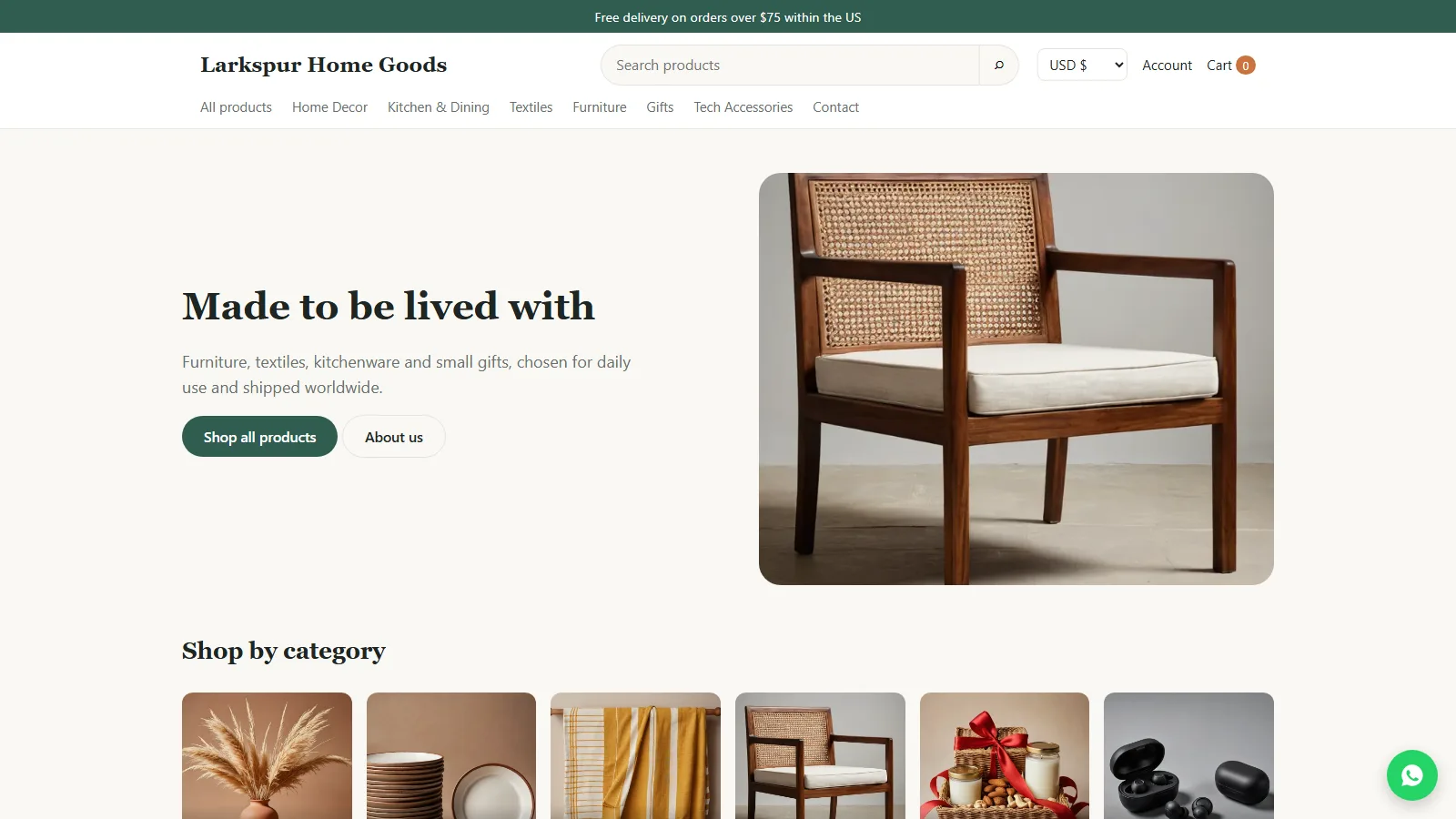
Everything included
- Products with variants: own price, SKU and stock
- Nested categories, search, price and stock filters, sorting
- Multi-currency with a visitor currency switcher
- Coupons: percent or fixed, minimum spend, expiry, limit
- Delivery zones: flat, free over X, weight/price tables, pickup
- Taxes per country or region, inclusive or exclusive
- Orders: statuses, tracking, emails, invoice, CSV export
- Owner control centre with first-run setup wizard
- Live chat, WhatsApp button, GA4, GTM and Meta Pixel
- SQLite by default, PostgreSQL or MySQL with one setting
- Add-on apps with their own settings in the admin
- Runs on cPanel Python App, a VPS or a Hostinger VPS
From order to a live website
- 1
Choose a package
Code only, We set it up, or Customised. All prices are one-time.
- 2
Pay securely
Your download link and licence key are emailed once payment is confirmed and also appear in My Account.
- 3
We contact you
For setup packages we email within one business day for your hosting access and domain details.
- 4
Live on your domain
Your store runs on your own hosting with your own database, and you manage it from your admin.
A complete store you own
The storefront has a home page with your banner and category tiles, a shop with nested categories, search, price and stock filters and sorting, product pages with photo galleries and variants, a cart with coupons, and a checkout that works for addresses in any country, with delivery options and tax re-priced as the shopper types. Customers can check out as guests or create an account to see their order history. Every price, coupon, delivery cost, tax and stock level is calculated again on the server when the order is placed.
- Variants with their own price, sale price, SKU and stock
- Low-stock flags and sold-out handling
- Guest checkout or customer accounts
- Product schema, Open Graph tags and sitemap.xml
Run it from your own admin
A first-run wizard creates the owner account (passwords hashed with Django's salted PBKDF2, logins rate-limited, CSRF on every form). The dashboard shows orders today, paid revenue, a 14-day chart and low stock. Orders move through pending, paid, processing, shipped, delivered, cancelled or refunded; each change is logged and emailed to the customer and to you, with tracking number and link. Invoices print or save as PDF and orders export to CSV. Staff accounts only see order data if you give them the order permission.
- Products, categories, customers and coupons
- Order notes, tracking and status emails
- Enquiry inbox for the contact form
- SMTP email settings with a test button
Sell in several currencies, ship by zone
You enter prices in a base currency and switch on other currencies with a rate, symbol, decimals and symbol position. Visitors pick a currency in the header and the order records both the currency and the rate. Delivery zones are lists of countries and, if needed, regions, each with flat rate, free over an amount, weight or order-value tables, or local pickup. Tax rates are set per country or region, with prices including or excluding tax.
- Visitor currency switcher, remembered
- Rate and currency stored on every order
- Most specific zone and tax rate used
- Built-in payments: COD, bank transfer, UPI QR, pay on pickup
Chat, WhatsApp, analytics and add-ons
Settings switch on Tawk.to, Crisp or Tidio live chat (or your own snippet), a floating WhatsApp button, GA4, Google Tag Manager and Meta Pixel (loaded only after cookie consent if the cookie notice is on), an announcement bar, SEO defaults and maintenance mode. Add-ons are Django apps you drop into the addons folder; they are found automatically and appear in the admin with their own settings. Stripe, Razorpay, PayPal and Auto Currency Rates are available separately.
- Live chat and WhatsApp button
- GA4, GTM and Meta Pixel IDs
- Announcement bar and cookie notice
- Add-on hooks for payments, currency and more
What it does not do
Card payments need one of the gateway add-ons and your own account with that provider; the add-ons were tested against simulated provider responses only, so run a test payment in sandbox mode before going live. There is no hosted demo: the screenshots on this page are from the store running locally with its demo catalogue. It needs Python 3.10 or later; ordinary shared hosting without Python app support cannot run it.
- Python 3.10+ required (Django 5.2 LTS)
- cPanel needs the Setup Python App feature
- Card gateways sold as add-ons
- Demo photos and text are placeholders to replace
Who it is for and what is in the zip
It suits shops, makers and retailers who want their own store on Python hosting rather than a monthly platform, and agencies or Django developers who want a working store to extend for a client. The zip holds the Django project: the config package, the shop app with its templates, static files, migrations and management commands, the addons/ folder, requirements.txt (Django 5.2, WhiteNoise for static files, segno for the UPI QR code and gunicorn for Linux servers), passenger_wsgi.py for cPanel, .env.example, README.md and the illustrated Installation-Guide.pdf.
- Django 5.2 LTS on Python 3.10+
- passenger_wsgi.py for cPanel
- Database drivers only if you use PostgreSQL or MySQL
More ready-made websites
Built by the same team, with the same setup service and support.
Browse every ready-made website, or compare our custom website packages if you need a site designed from scratch. Want more guests to find you on Google Maps? See our local SEO service, or talk to our web design team.



