
Byte — Computer Institute Website
A ready-made website for a computer training institute, with courses, duration and fees, labs, batch timings, certificate information and enquiry form
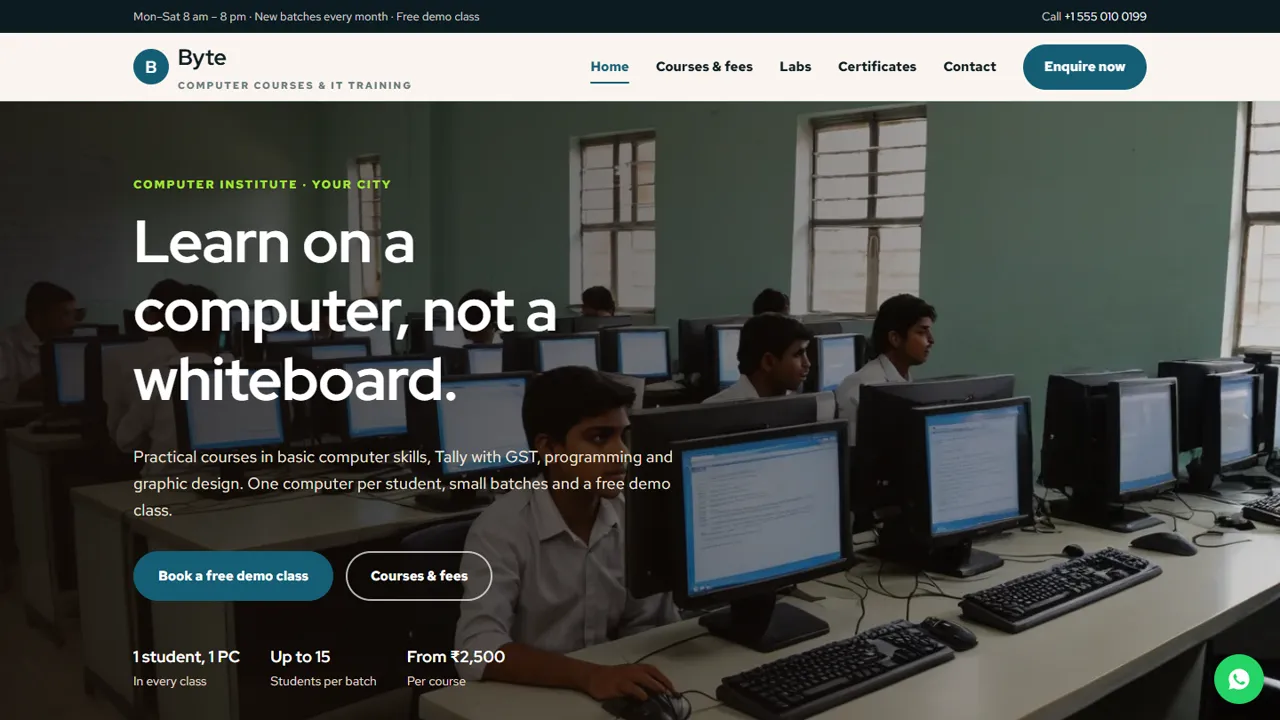
Everything included
- Course list with duration and fees in tabs
- Labs page with facilities and batch timings
- Certificate process and common questions page
- Course enquiry and demo-class form
- WhatsApp and click-to-call on every page
- EducationalOrganization schema, titles and meta descriptions
- Admin panel for your details, currency, chat and enquiries
- Colours and fonts changed from one CSS block
From order to a live website
- 1
Choose a package
Code only, We set it up, or Customised. All prices are one-time.
- 2
Pay securely
Your download link is emailed once payment is confirmed and also appears in My Account.
- 3
We contact you
For setup packages we email within one business day for your cPanel / hosting login and domain.
- 4
Live on your domain
Your institute site runs on your own hosting, with course enquiries arriving in your inbox.
What students want to know
Students and parents comparing computer institutes ask which courses you teach, how long they take, what they cost, what the labs are like, when batches run and what certificate they get. Byte answers each on its own page, with a call to enquire or book a demo class on every screen.
- Home page with popular courses
- Course list with duration and fees
- Labs page with batch timings
- Certificates page and contact page with map
Courses, labs and certificates, page by page
The courses page groups sample courses under Basic computer, Accounting, Programming and Graphic design, from MS Office and computer for seniors to Tally Prime with GST, Python, web design, Canva and video editing, followed by a What you get strip: your own computer, notes and files, Sunday lab time and a project and test. The labs page describes one PC per student, Wi-Fi and a projector, power backup and a safe space for everyone, then lists batch timings in a table. The certificates page sets out four steps (attend classes, finish a project, take a practical test, get your certificate) and answers questions on needing a computer at home, jobs, Tally software, missed classes, age limits and how to pay. Course names, fees and timings are samples to replace with yours.
- Four course groups with sample fees
- Lab facilities and batch timetable
- Four-step certificate path
- Six answered questions before joining
Turn visits into enquiries
The enquiry form lists every course, grouped the same way as your course page, and asks for a preferred demo-class date and time and a short note about the student. The enquiry arrives in your inbox and you confirm by phone or WhatsApp.
- Course drop-down grouped by subject
- Preferred demo date and time
- Notes for the student's goal
- Spam trap and input checks
Honest about certificates and jobs
The certificates page says the certificate is issued by the institute itself and is not a government or university certificate. A comment marks where to add a real affiliation, with a centre code, only if you hold it in writing. The FAQ says plainly that you help with resumes but do not promise jobs, and the home page testimonials are clearly marked samples.
- No fake government or university affiliation
- No job or placement promises
- Sample testimonials marked for replacement
- Plain HTML you can edit in any text editor
Easy to keep up to date
Courses are a tabbed price list and batch timings are a plain HTML table, so adding a course or changing a fee takes a minute. Colours and fonts are set in one place, and EducationalOrganization schema, titles and descriptions are ready for Google.
- Course list easy to extend
- Timings as a simple table
- EducationalOrganization schema markup
- Colours and fonts in one CSS block
Demo-class requests in the admin
Every course enquiry and demo-class request is saved in the admin's Enquiries inbox at your-domain.com/admin/ with the course, date and time, as well as emailed to the front desk. Counsellors can work through the list and download it as a CSV when admissions are busy. In the admin you also set the institute name, logo, phone, WhatsApp number, address, map and office hours, the WhatsApp greeting students start with, live chat, analytics and an announcement bar for a new batch starting date. Course pages and fees are edited in the HTML.
- Enquiries inbox with CSV download
- Office hours and contact details in one place
- Announcement bar for new batches
What you download and what it runs on
The zip contains six HTML pages and a 404 page, CSS, JavaScript, the PHP form handler, the admin panel, photos and an .htaccess file, with an illustrated installation guide. It needs cPanel or shared hosting with PHP 7.4 or later. Set the enquiry email in config.php, create your admin login and paste your licence key on the Dashboard to switch the forms on; one key activates up to three domains. SQLite is created automatically if pdo_sqlite is on, MySQL is optional, and email goes by PHP mail() or SMTP. There is no student login, attendance, fee collection or online course player.
- Plain HTML, CSS, JavaScript and PHP
- SQLite built in, MySQL optional
- No student portal or fee payments
More ready-made websites
Built by the same team, with the same setup service and support.
Browse every ready-made website, or compare our custom website packages if you need a site designed from scratch. Want more guests to find you on Google Maps? See our local SEO service, or talk to our web design team.



