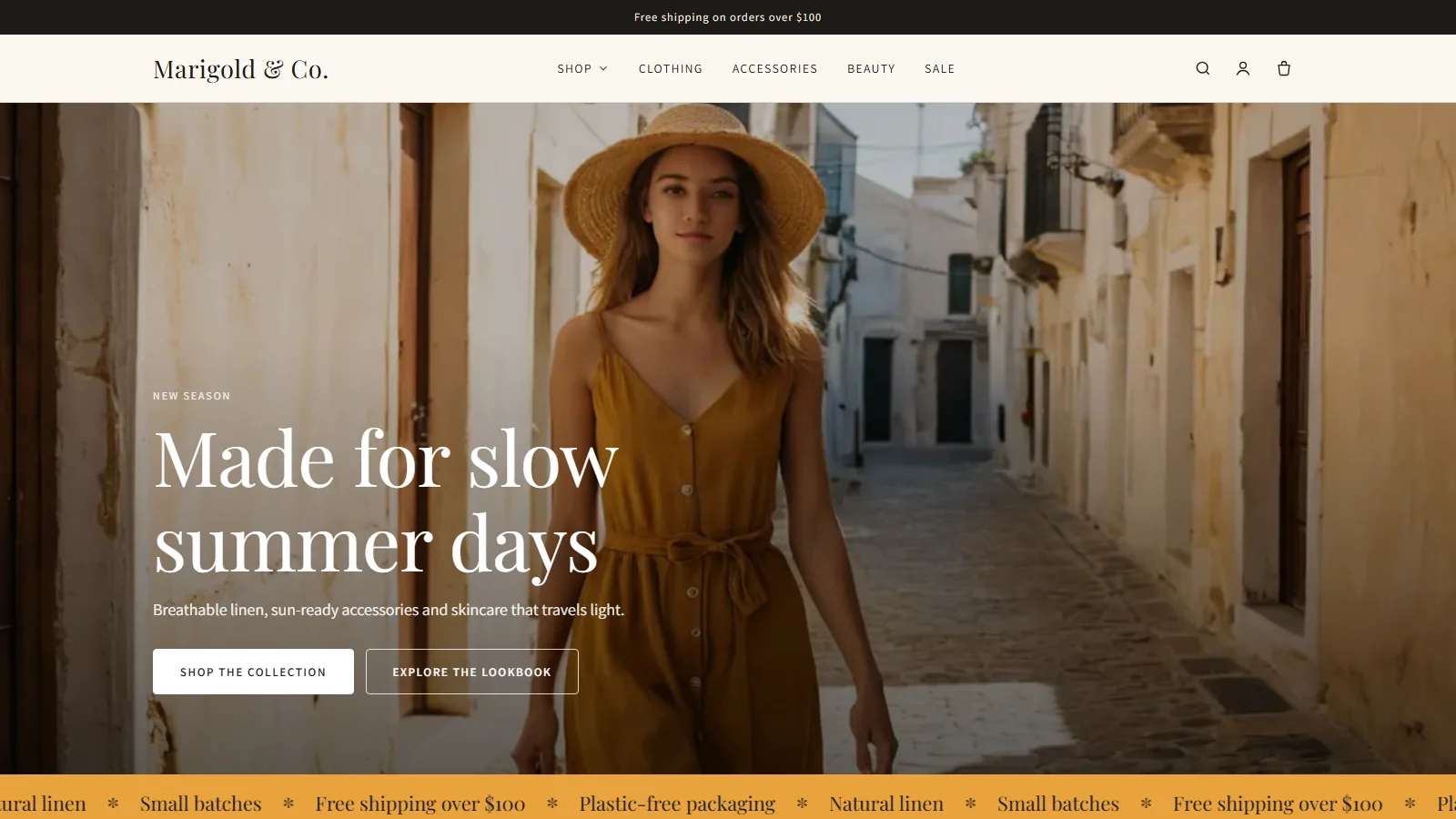
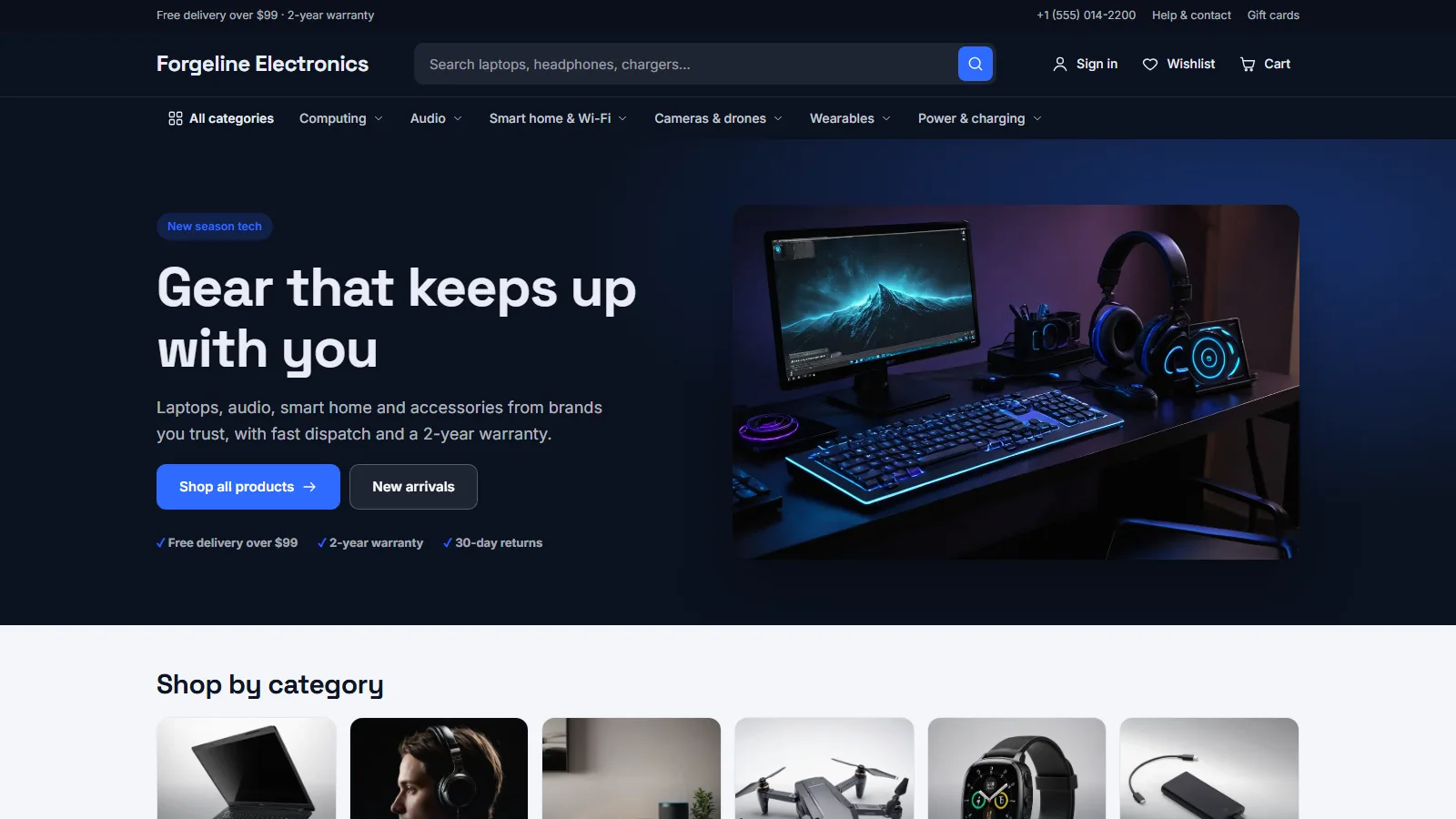
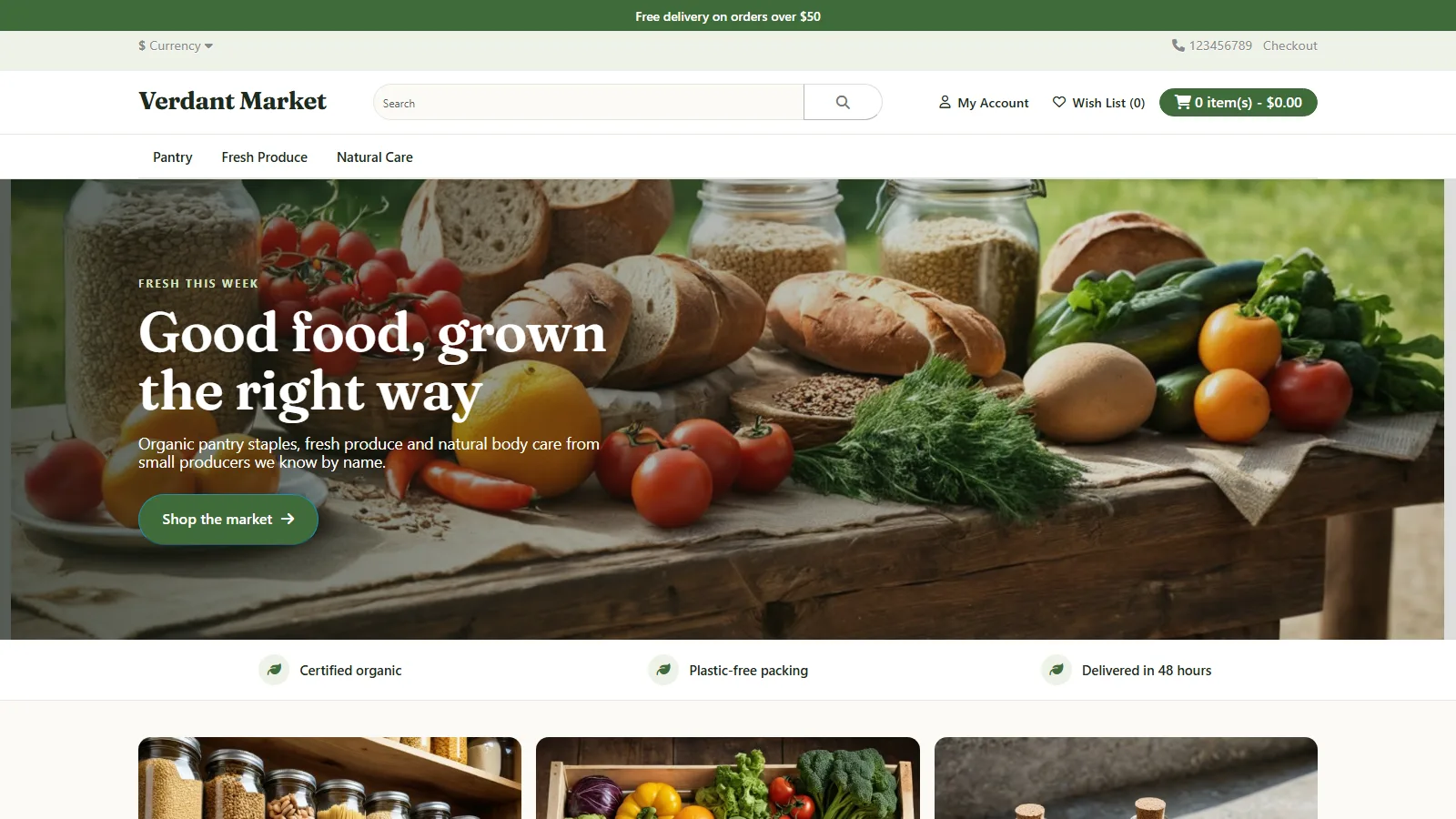
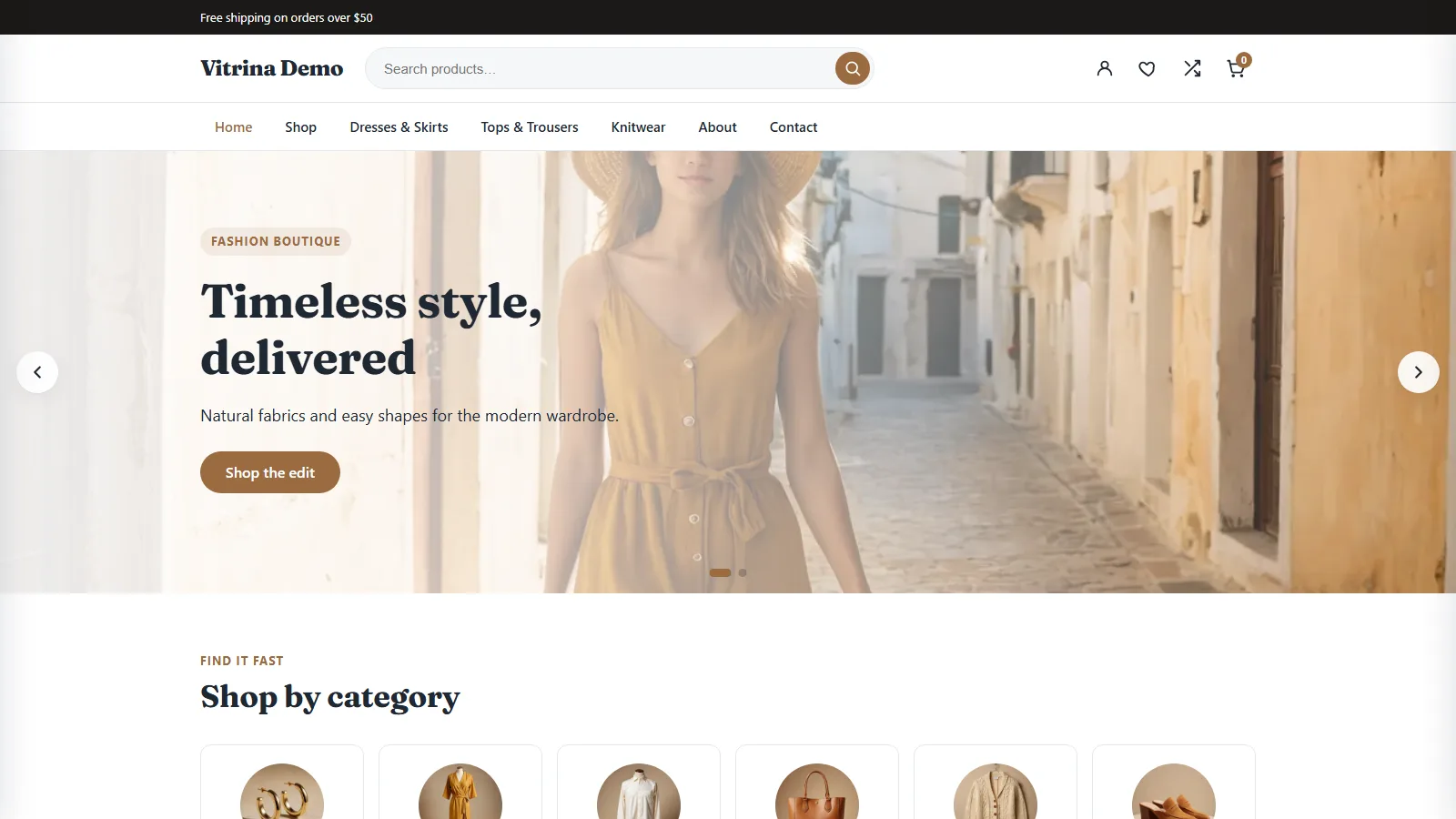
Vitrina — WooCommerce Theme
WooCommerce theme with 10 one-click starter sites, drag-to-reorder homepage, Quick View, compare and sticky add to cart
Everything included
- 10 one-click starter sites (5 with real photos)
- Drag-to-reorder homepage sections
- 3 header layouts, mega menu, live AJAX search
- Quick View, wishlist and compare
- Sticky add to cart + free-shipping meter
- Child theme, block patterns, RTL ready
Licensed & activated in 60 seconds
- 1
Buy your license
Choose monthly, 1 year or lifetime — your key and download link are emailed instantly.
- 2
Install the plugin
Upload the zip in wp-admin. The free core works right away.
- 3
Enter your key
Paste it in the plugin's License tab to activate.
- 4
Pro unlocked
Pro features, updates and priority support switch on.
Vitrina WooCommerce theme demo
A tour of the Luxe starter site: the homepage sections with the deal countdown, the mega menu, Quick View, adding to the mini cart with the free-shipping meter, and the product page with the sticky add-to-cart bar.
Download the PDF user guideA WooCommerce theme with a ready-made storefront
Vitrina is a classic (PHP) WordPress theme built for WooCommerce stores: fashion, beauty, electronics, grocery and general stores. The download has three parts: the Vitrina theme, a Vitrina Child theme for your own code, and the free Vitrina Toolkit plugin, which adds Quick View, a wishlist, product compare and one-click starter sites. Everything is set in Appearance, Customize, Vitrina Options, with live preview. Version 1.1 was tested on WordPress 7.1 with WooCommerce 11.2: it passes the Theme Check plugin with no required issues, the Toolkit passes Plugin Check's general, repository and security checks, and every feature on this page was clicked through in a browser test.
- Works as a normal site theme without WooCommerce; shop features need WooCommerce 8.0+
- Shop sidebar, blog sidebar and 2 to 4 footer widget columns
- WooCommerce gallery zoom, lightbox and slider enabled
- Styles the WooCommerce Cart and Checkout blocks
Header layouts, mega menu and live search
Choose one of three header layouts. Classic puts the logo, a wide search bar and the icons in one row with the menu below. Centered puts the logo in the middle with search on the left and icons on the right. Inline puts the logo, menu and icons in one row. The header can stick to the top of the page, and a top bar shows a message and a small menu. Any top-level menu item with the CSS class vt-mega opens a multi-column mega menu. Dropdowns open on hover and with the keyboard, and the submenu buttons report whether they are open to screen readers. The live product search shows matching products with images and prices as the shopper types, plus a link to all results.
- Classic, Centered and Inline header layouts
- Mega menu via the vt-mega menu class
- Live AJAX product search with a See all results link
- Wishlist and compare icons with counts (with the Toolkit)
Every homepage section, explained
The front page is built from nine sections that you drag into any order and untick to hide. The hero slider has up to three slides, each with its own small title, title, text, button and background image. The category grid shows up to six product categories with their images. The tabbed product carousel switches between New arrivals, Featured, Best sellers and On sale. Deal of the day spotlights a product on sale with a countdown to the real end of its scheduled sale, or to a date you set; with no end date it shows no countdown at all. Featured products and Best sellers are product grids. Two promo banners each have a title, text, button and background photo. The brand logos section shows logos you upload or your WooCommerce brands, and hides itself when there are none. The trust bar shows four editable promises.
- 9 sections: drag to reorder, untick to hide
- Up to 3 hero slides with their own images
- Countdown to the real sale end date, never a fake timer
- Brand logos section and an editable trust bar
Shop and product pages built to convert
Choose 2 to 5 products per row, how many products a page shows, and the image hover: swap to the second gallery image, zoom, or none. Adding to cart opens an off-canvas mini cart without leaving the page, and a free-shipping meter shows how much more the shopper needs to spend to reach the goal you set. On product pages a sticky bar with the product image, name, price and add-to-cart button slides up once the shopper scrolls past the main button; for simple products it adds straight to the cart, for other products it scrolls back to the options. Sale badges, prices and buttons follow your accent and sale colours.
- 2 to 5 columns, products per page, 3 hover styles
- Off-canvas mini cart with a free-shipping meter
- Sticky add-to-cart bar on product pages
- Shop sidebar set up with search, categories and price filter by the starter sites
Vitrina Toolkit: Quick View, wishlist, compare and starter sites
Quick View opens a product in a lightbox from the shop grid, with options and add to cart, and keeps keyboard focus inside until it closes. The wishlist adds a heart to every product card and a Wishlist page; it is saved in a cookie for guests and in the account for logged-in customers. Compare adds a button to cards and product pages and a Compare page that lines up to four products: price, rating, stock, SKU, weight, dimensions and attributes. Appearance, Starter Sites imports one of ten demo stores in one click. Luxe (fashion), Bloom (beauty), Emporium (electronics), Harvest (organic grocery) and Superstore (general store) import real product photos with hero and banner images; Cocoa, Velocity, Tiny Tots and Scoop draw simple placeholder images. Each import creates categories, products, pages, a Shop mega menu, shop sidebar widgets, hero slides, promo banners and a deal of the day with a real sale end date, and moves the previous starter site's sample products to the Trash.
Design settings, fonts and block editor
Set the accent, accent hover, text, sale and dark background colours, the container width and the corner radius. Manrope and Fraunces are bundled with the theme and served from your own site; ten more fonts load from Google Fonts unless you switch Google Fonts off. In the block editor Vitrina provides a theme.json colour palette and font sizes, four block patterns (hero banner, three features, product grid and call to action), and Card, Rounded and Checkmarks block styles. The footer offers 2 to 4 widget columns or a designed footer with your newsletter form shortcode, social links and payment badges.
- 5 colour settings, container width and corner radius
- Manrope and Fraunces served locally; Google Fonts optional
- 4 block patterns and 3 block styles
- Footer columns, newsletter shortcode, social links
Performance, accessibility and RTL
The hero image is a real image element loaded first, with later slides loaded lazily. Vitrina adds one stylesheet and one script of its own, and the local heading font is preloaded. A skip link, labelled search, visible focus outlines and keyboard-friendly tabs, menus, cart panel and Quick View are built in, and the slider pauses on hover and focus and does not move for visitors who prefer reduced motion. Right-to-left languages get their own rtl.css for the theme and the Toolkit.
Install and requirements
Vitrina needs WordPress 6.5 or newer and PHP 7.4 or newer, and was tested on WordPress 7.1. The store features need WooCommerce 8.0 or newer; it was tested with WooCommerce 11.2. Unzip the download: it holds three folders, vitrina, vitrina-child and vitrina-toolkit. Upload vitrina (and vitrina-child if you want it) to wp-content/themes and vitrina-toolkit to wp-content/plugins, or zip each folder and upload it in WordPress. Activate Vitrina and the Toolkit, make sure WooCommerce is active, and go to Appearance, Starter Sites to import a demo. Activating the Toolkit creates the Wishlist and Compare pages.
Honest limits
Vitrina is a classic PHP theme, not a full-site-editing block theme: the header, footer and homepage are set up in the Customizer, not the Site Editor, and the header uses three preset layouts rather than a drag-and-drop header builder. The mega menu shows sub-items in columns but has no images or widgets inside it. There are no variation swatches, size guide or AJAX shop filters; the shop sidebar uses WooCommerce's own filter widgets. The newsletter needs a form plugin's shortcode. Four of the ten starter sites use drawn placeholder images rather than photos, and a furniture starter site is not included yet. Quick View, the wishlist, compare and the starter sites need the Vitrina Toolkit plugin.
Works well with Vitrina
Most stores running Vitrina pair it with these. Every plugin below shares the same licence system, coding standards and support team.
Also popular with our customers: Marigold, Forgeline, Halden, Verdant. Browse every themes or see our best-selling plugins. Need this built into a custom project? Our WordPress development team can help.